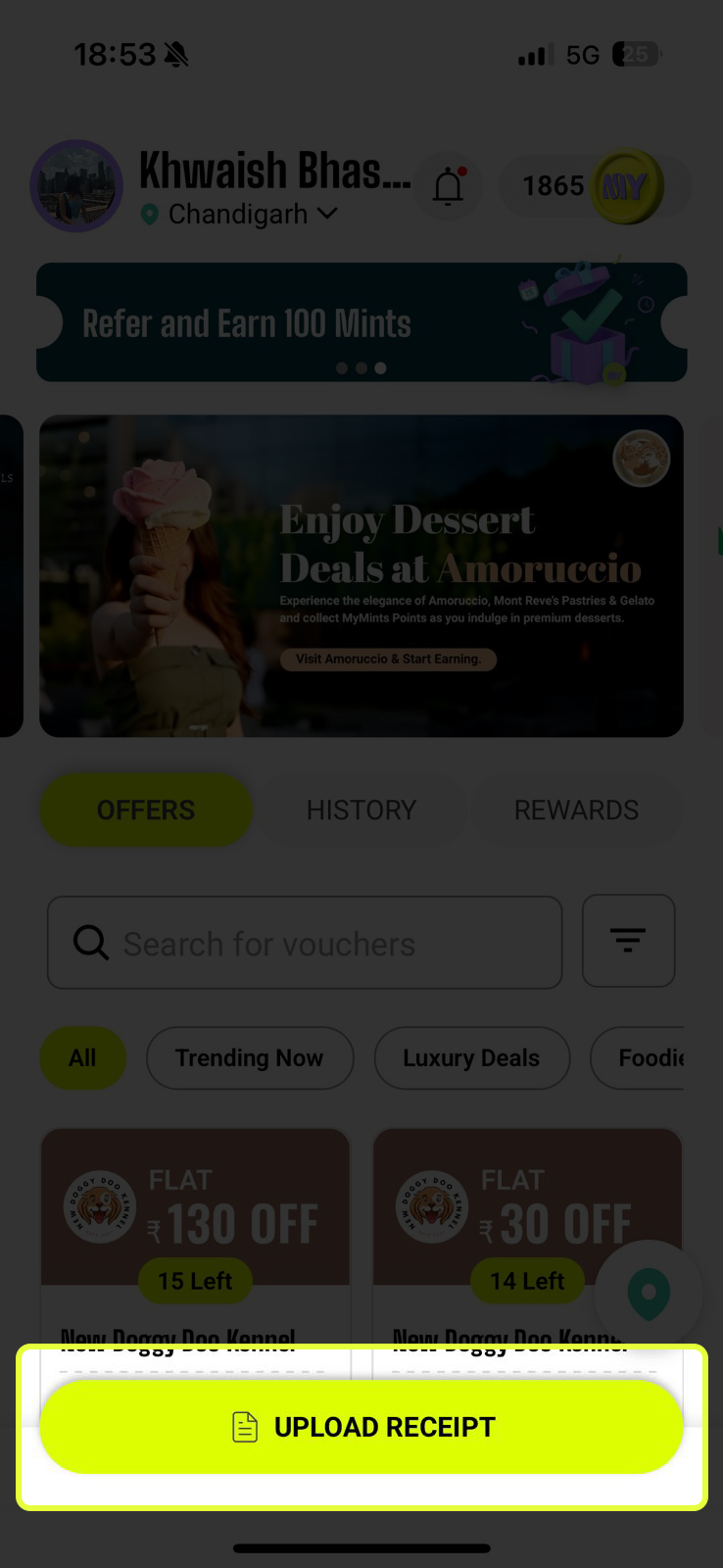
Home Screen
Every element on the Home Screen has a purpose. Let's go through each one so you know exactly what to tap and when.
Your Profile & Quick Actions
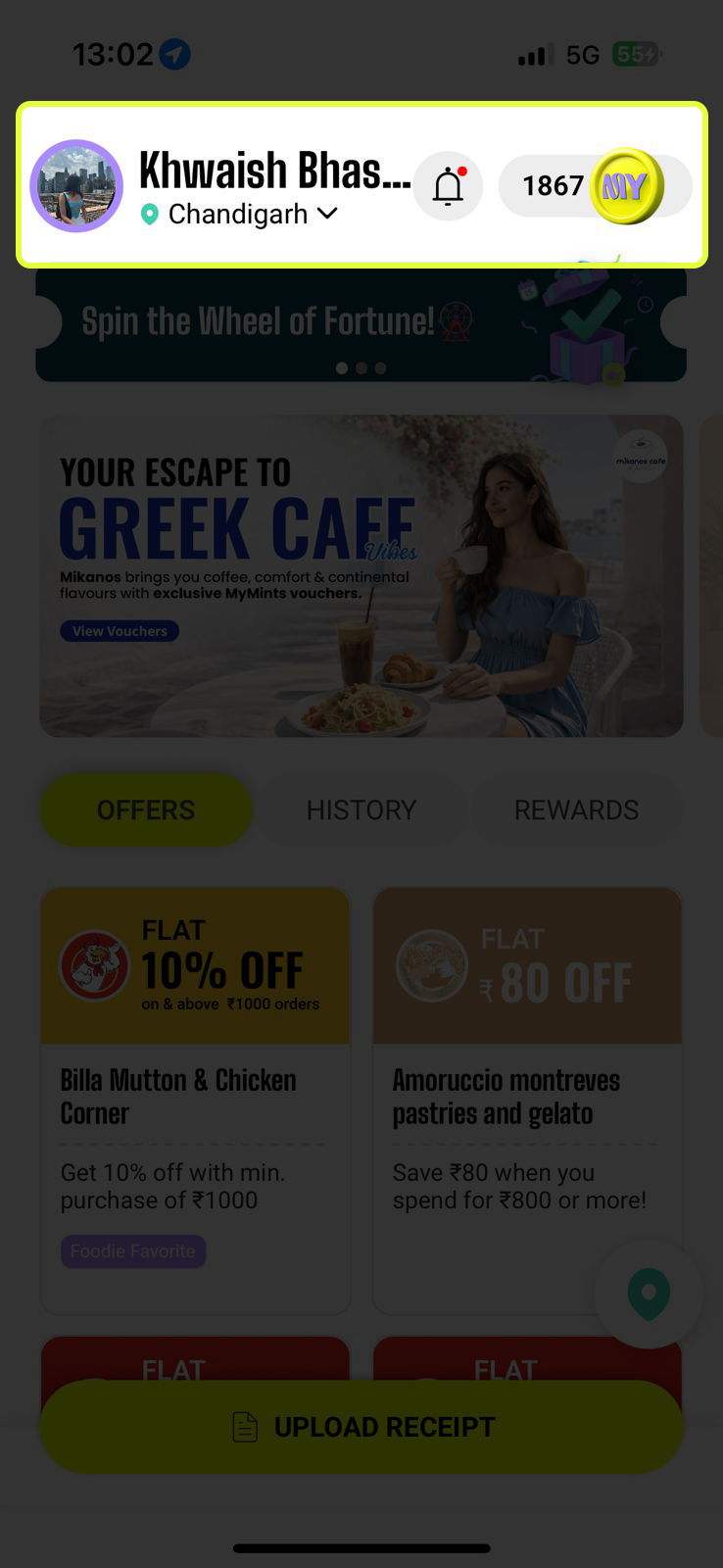
At the very top of the Home Screen you'll find your personal dashboard strip. Here's what each element does:
- 🧑 Profile photo & name — tap to view or edit your profile details
- 📍 City name — tap the dropdown to switch cities if you're in a different location
- 🔔 Bell icon — tap to see notifications about new features, new partner vendors, and offer updates. A red dot means you have unread notifications
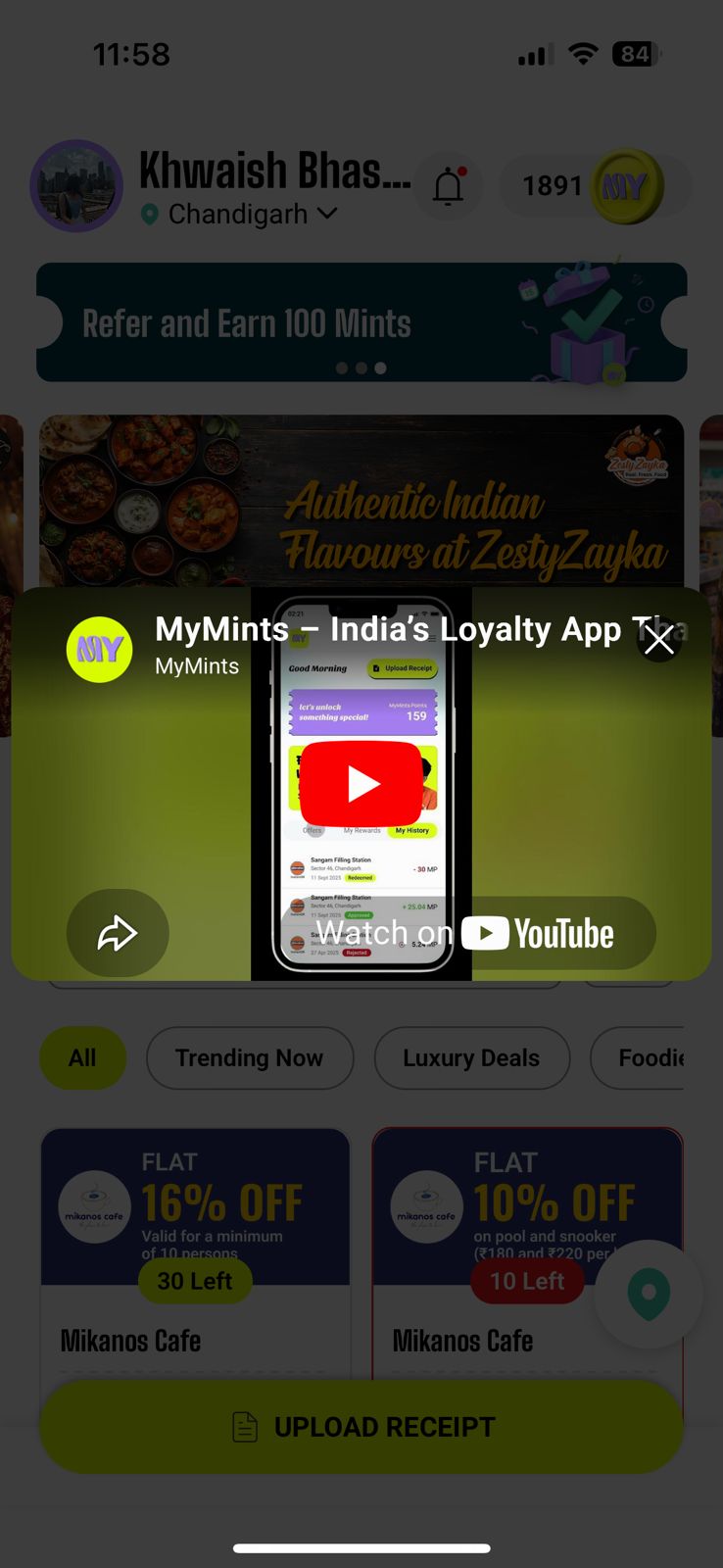
- 🪙 Besides coin icon — shows your current Mints balance. Tap it to watch a short intro video about the app
Rotating Action Banners
Just below the top bar is a dark ticket-shaped banner that rotates through active promotions. These are personalised and time-sensitive — worth checking every time you open the app.
- 🎡 Spin the Wheel — Play the Wheel of Fortune for a chance to win bonus Mints instantly
- ⛽ Free Fuel Offer — Refer 5 friends and unlock free fuel credits
- 🎁 Refer & Earn Mints — Every friend you refer earns you bonus Mints
.jpg)
.jpg)
.jpg)
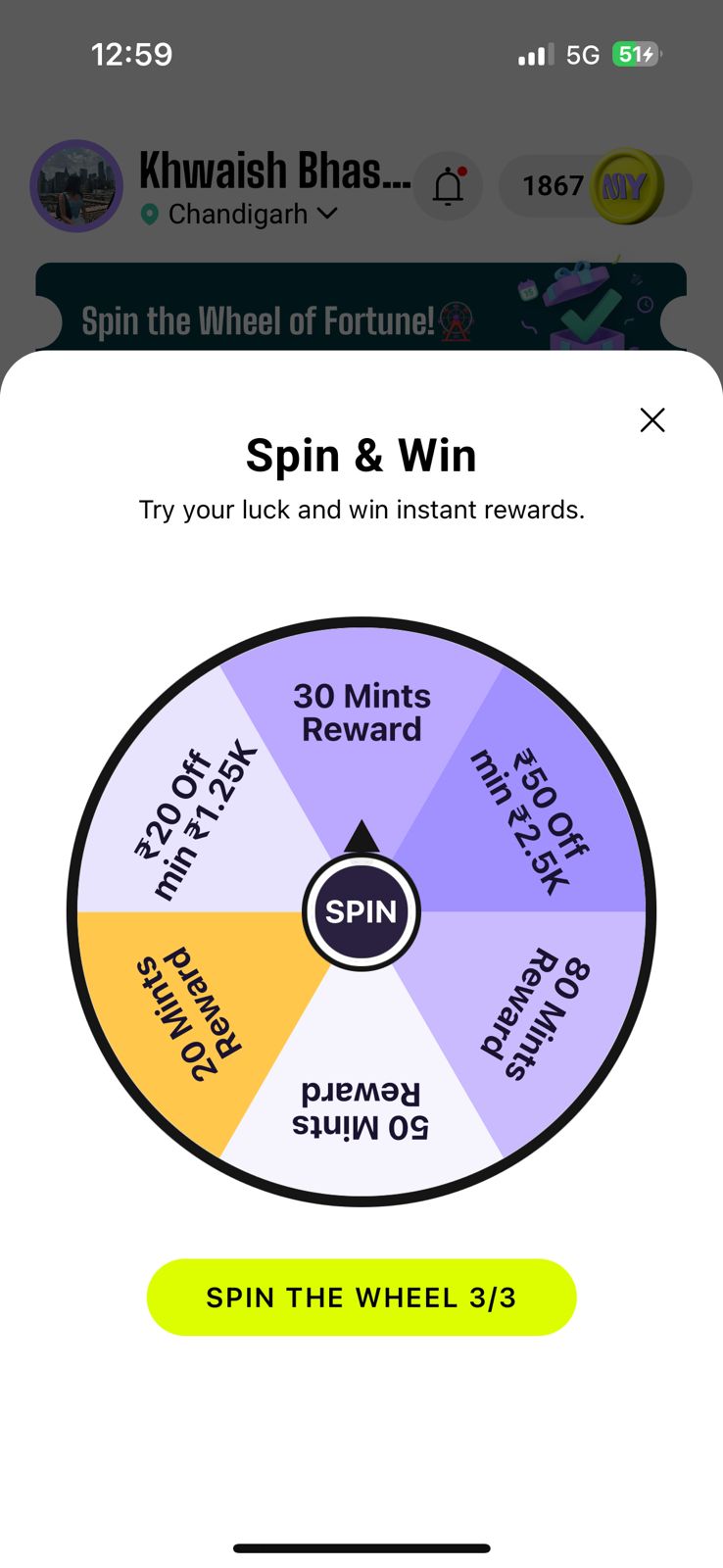
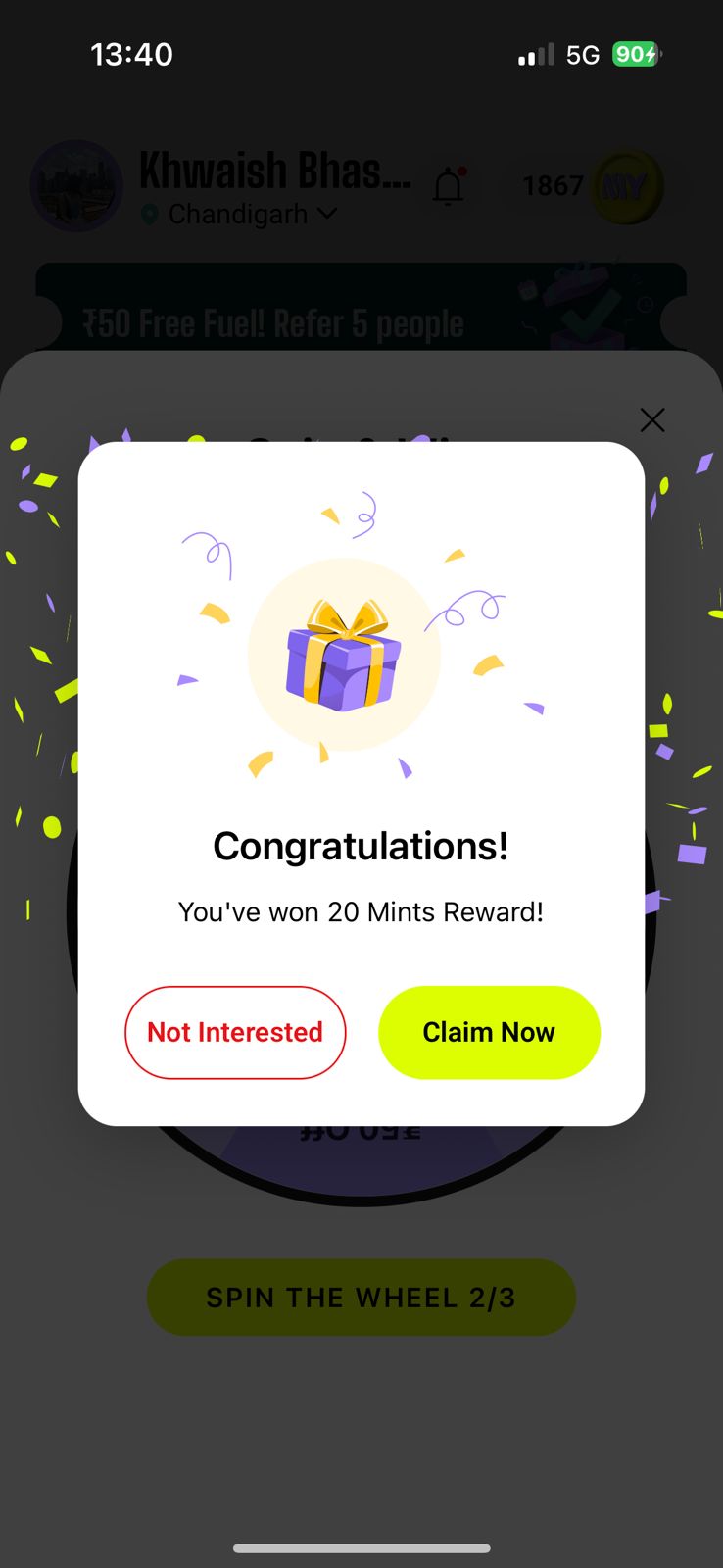
Spin & Win Instant Rewards
Tap the Spin the Wheel banner and a fortune wheel pops up loaded with real prizes. Tap the SPIN button in the centre and see what you land on.
- You get 3 free spins per day — shown as 'Spin the Wheel 3/3'
- Prizes include Mints rewards and flat vouchers
- Whatever segment the arrow lands on is your prize for that spin
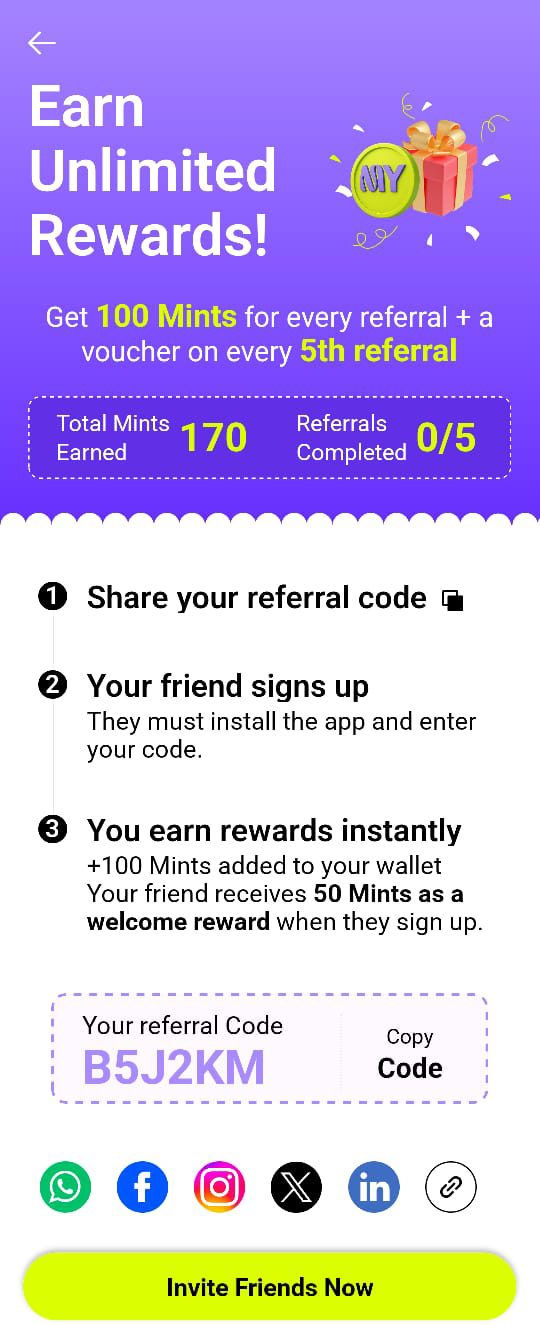
Refer & Earn — Invite Friends, Earn Unlimited Mints
Tap the Refer & Earn banner to open the referral page. Every friend you bring in earns you bonus Mints — with no cap. Every 5th referral also unlocks a bonus voucher.
- Share your referral code — tap Copy Code or Invite Friends Now to send it via WhatsApp, SMS, or any app
- Your friend signs up — they install MyMints and enter your code during registration
- Both of you earn — bonus Mints are added to your wallet, and your friend gets a welcome reward too
Explore Partner Brands
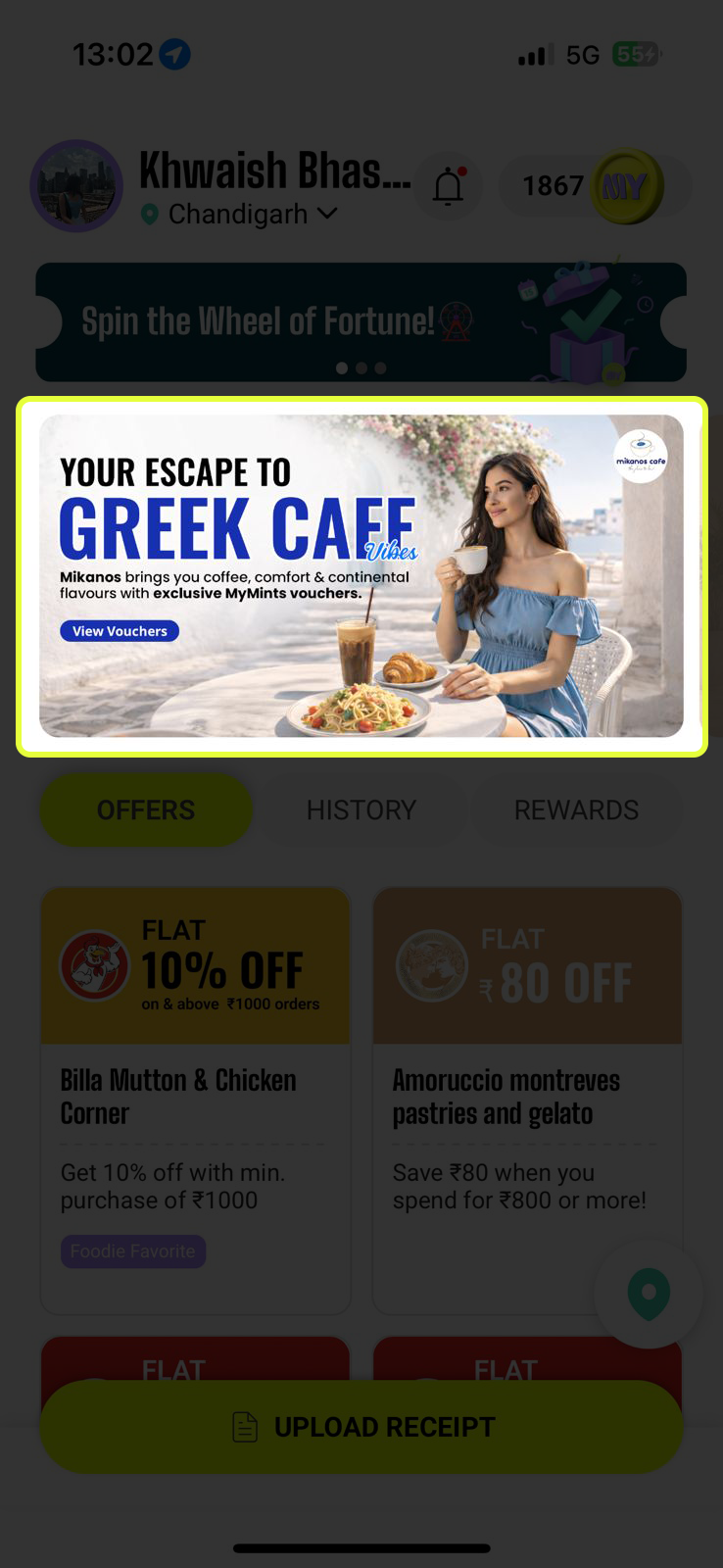
Below the banner is a swipeable carousel of live promotions from MyMints' partner brands. Each card is a real store near you actively running offers.
- Swipe left or right to browse different brands
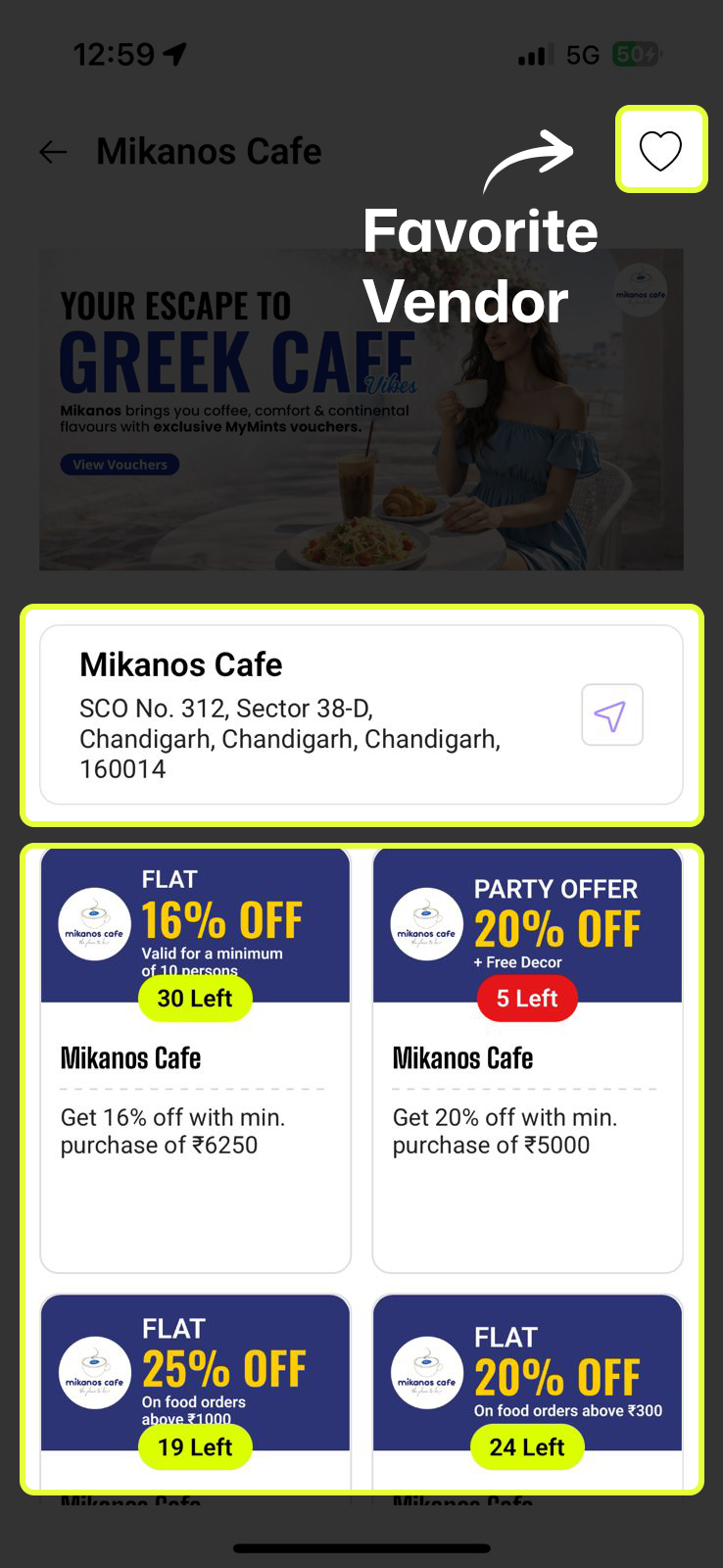
- Tap any banner to open that vendor's full profile — with all their listed discounts and store address
Offers · History · Rewards
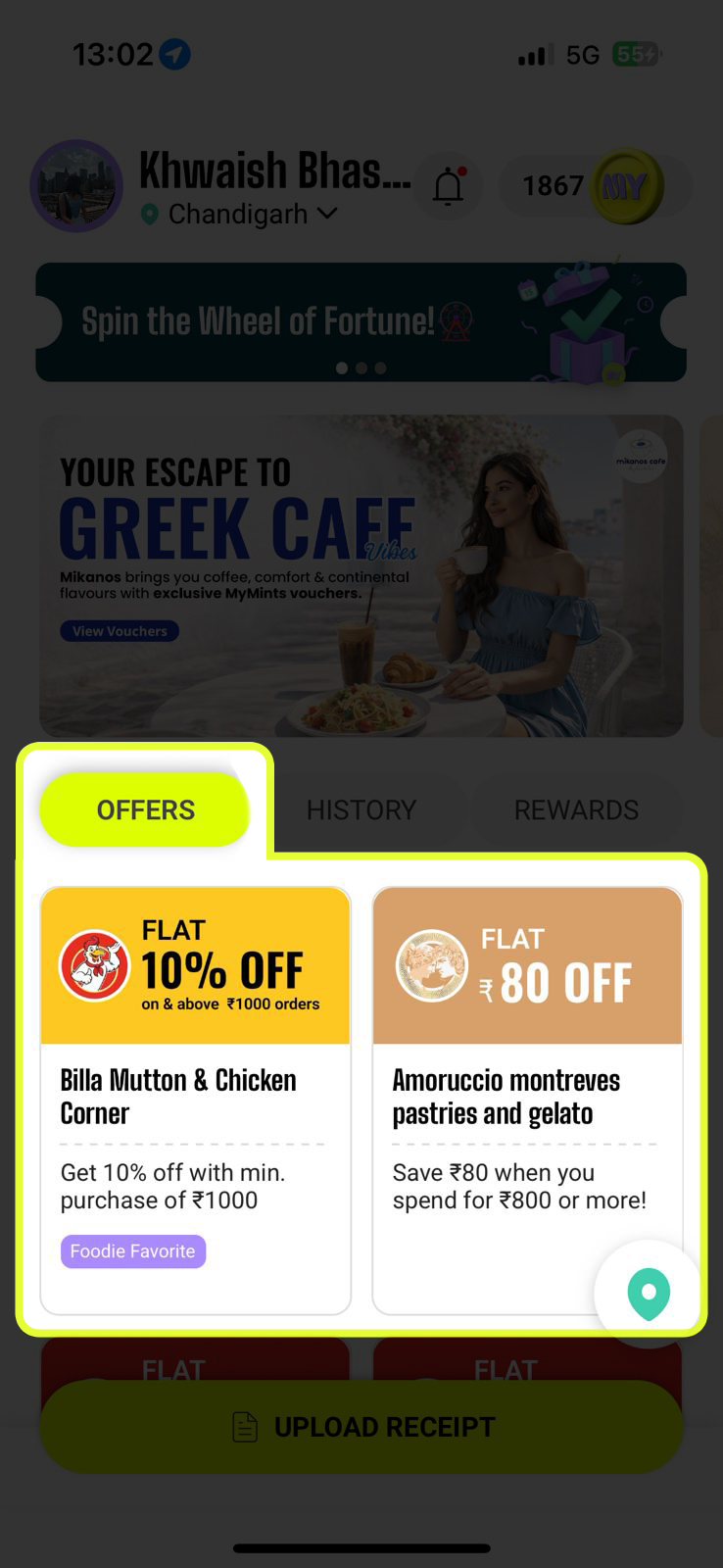
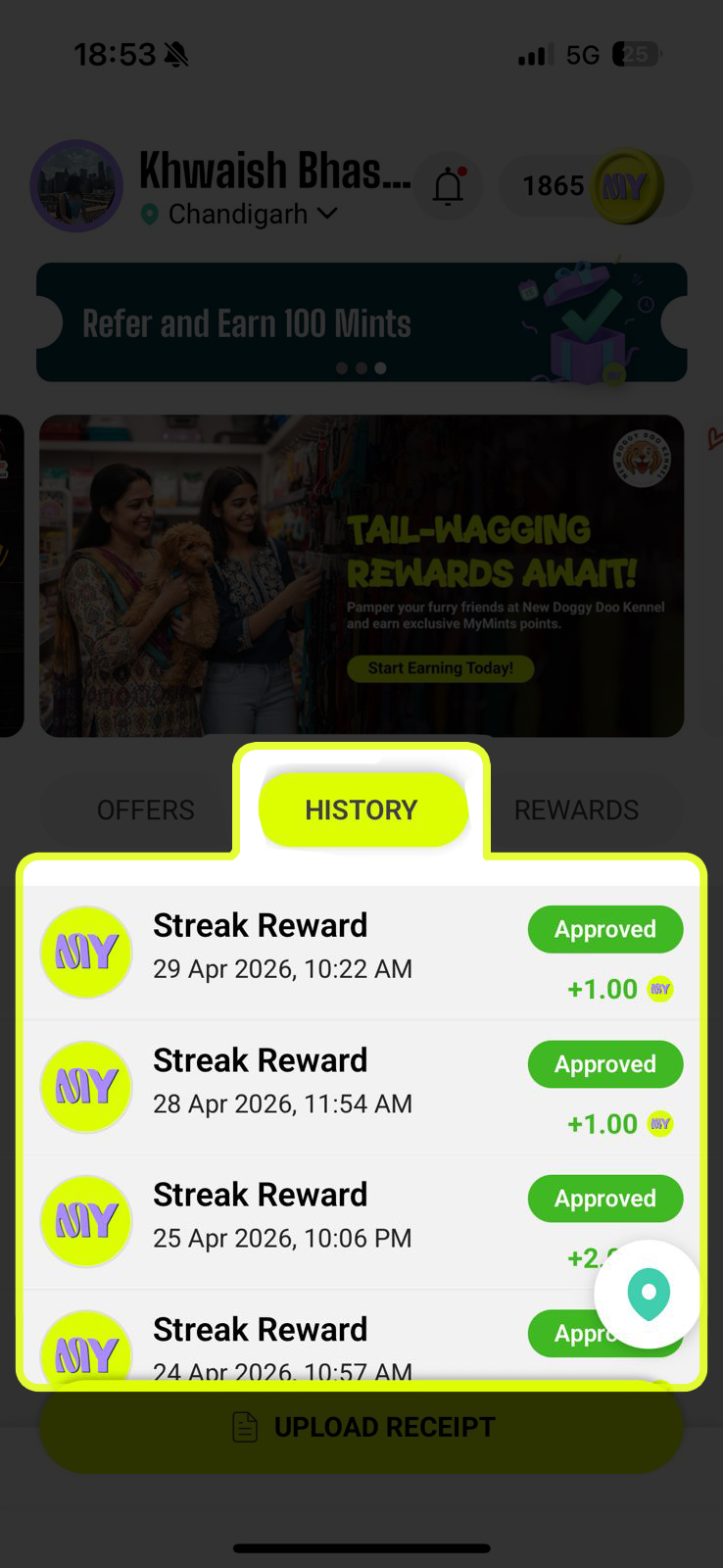
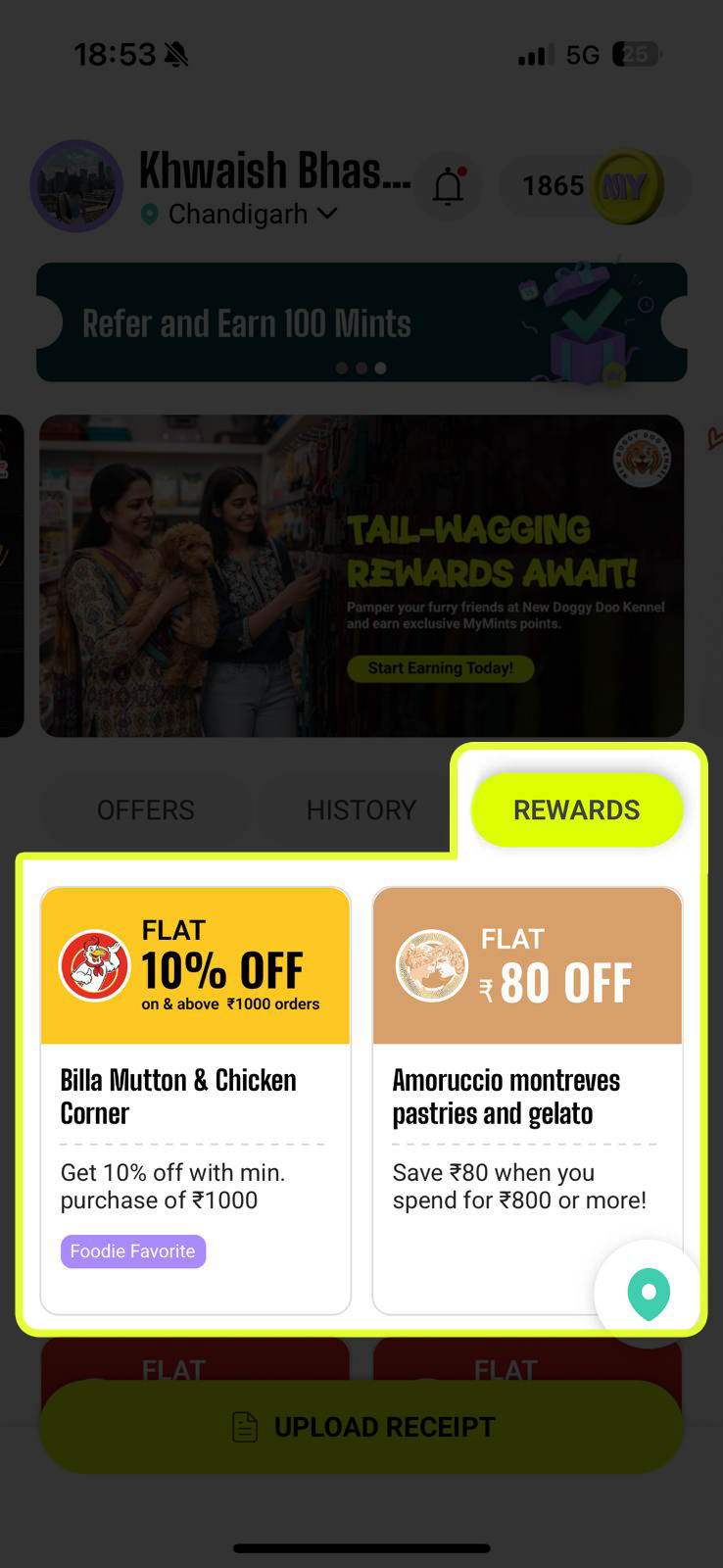
Below the carousel are three tabs that control what you see in the main feed. The active tab is highlighted in yellow-green.
- OFFERS — All available discount vouchers from partner stores near you. Shows Flat ₹X OFF cards with vendor name, location, and vouchers remaining
- HISTORY — Your full transaction log — every receipt uploaded, Mints earned or deducted, with Approved / Rejected / Pending / Redeemed status badges and Streak Rewards
- REWARDS — Vouchers you've already unlocked with your Mints — ready to be used at the store. Tap any to see full terms and validity
Find Vouchers Your Way
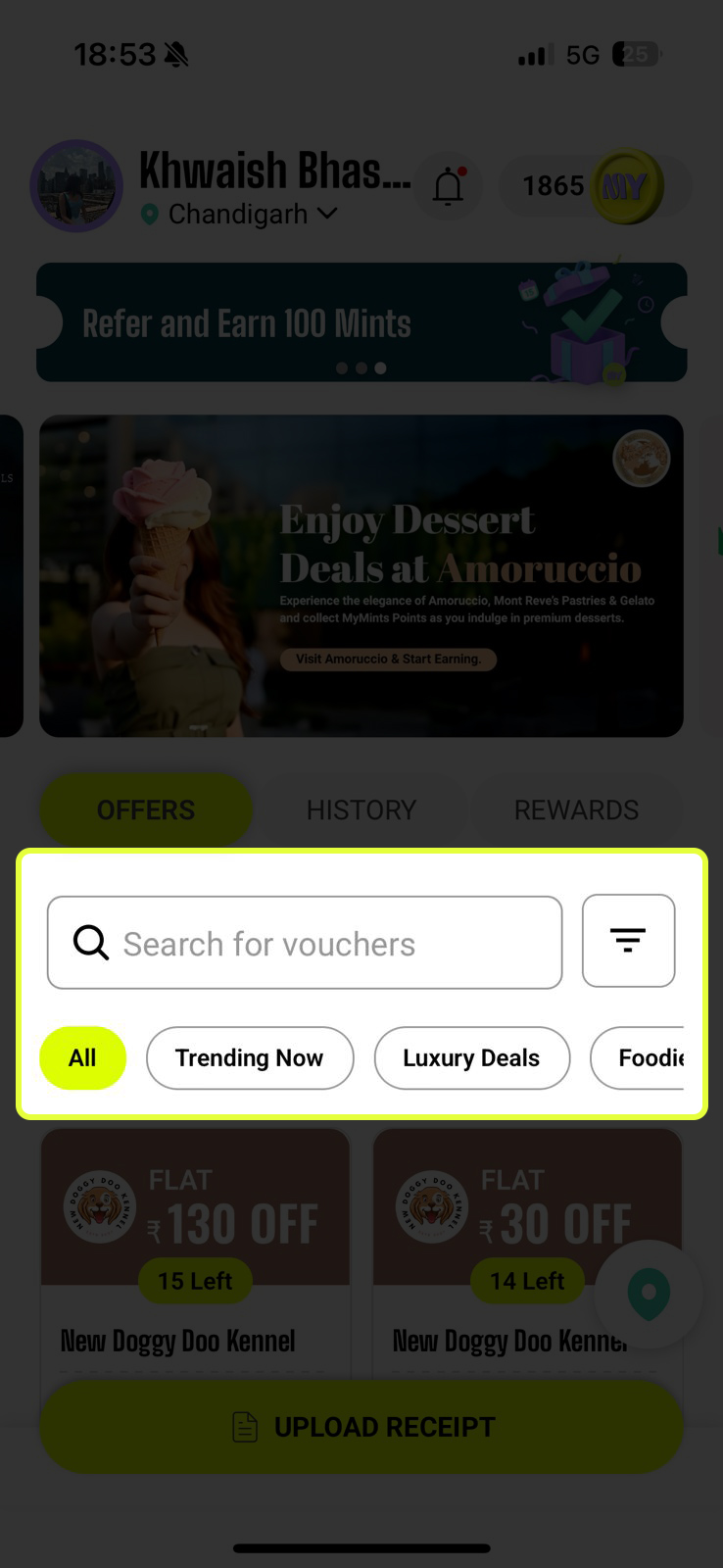
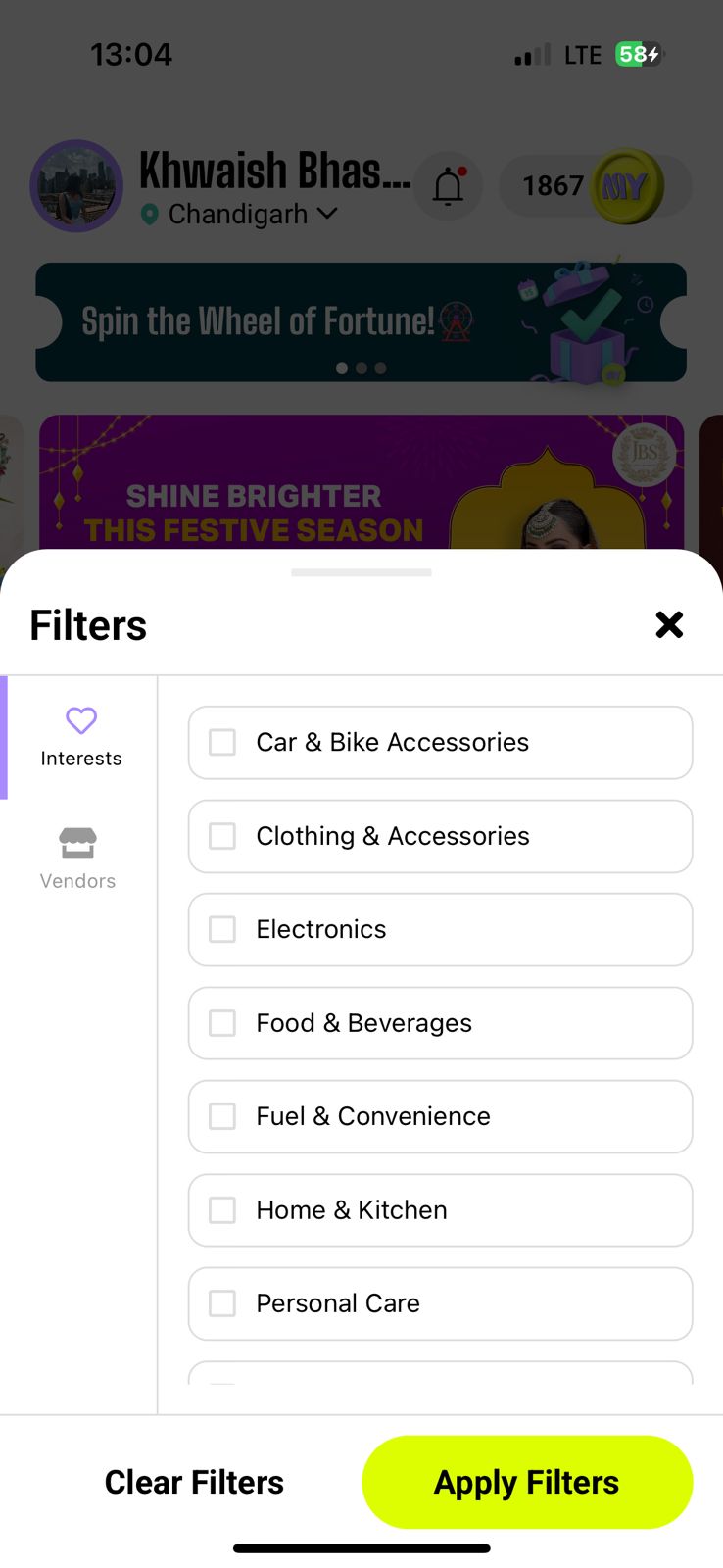
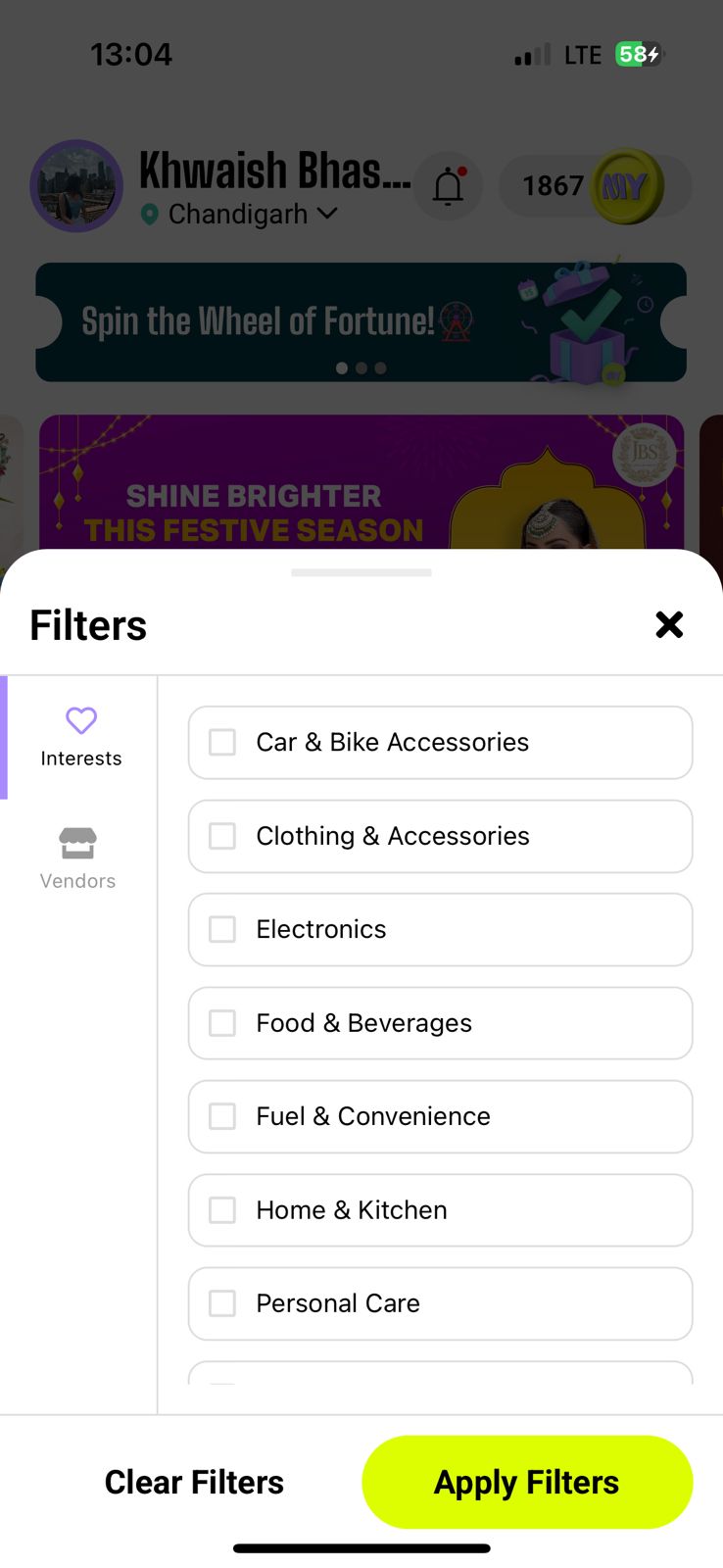
The Offers tab comes with a search bar and filter system so you can cut straight to what's relevant to you.
- 🔍 Search bar — Type a store name, brand, or keyword. Results filter instantly. Try 'cafe', 'fuel', or a specific brand name
- ≡ Filter button (right of search bar) — Opens a panel with two tabs: Interests (filter by category) and Vendors (filter by store). Tick choices and tap Apply Filters
- 🏷️ Quick-filter chips — One-tap shortcuts: All, Trending Now, Luxury Deals, Foodie — tap any chip to instantly narrow the feed
Find Stores on the Map
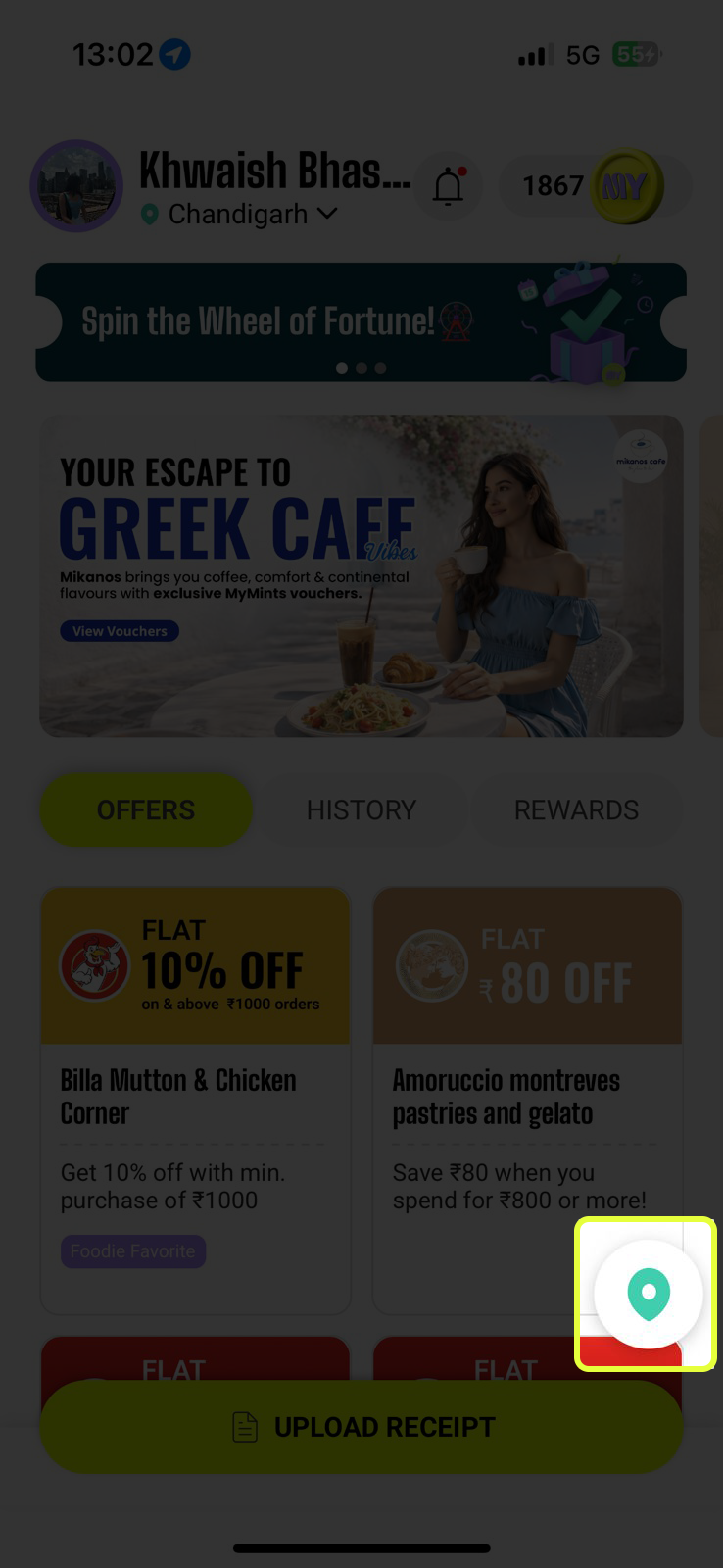
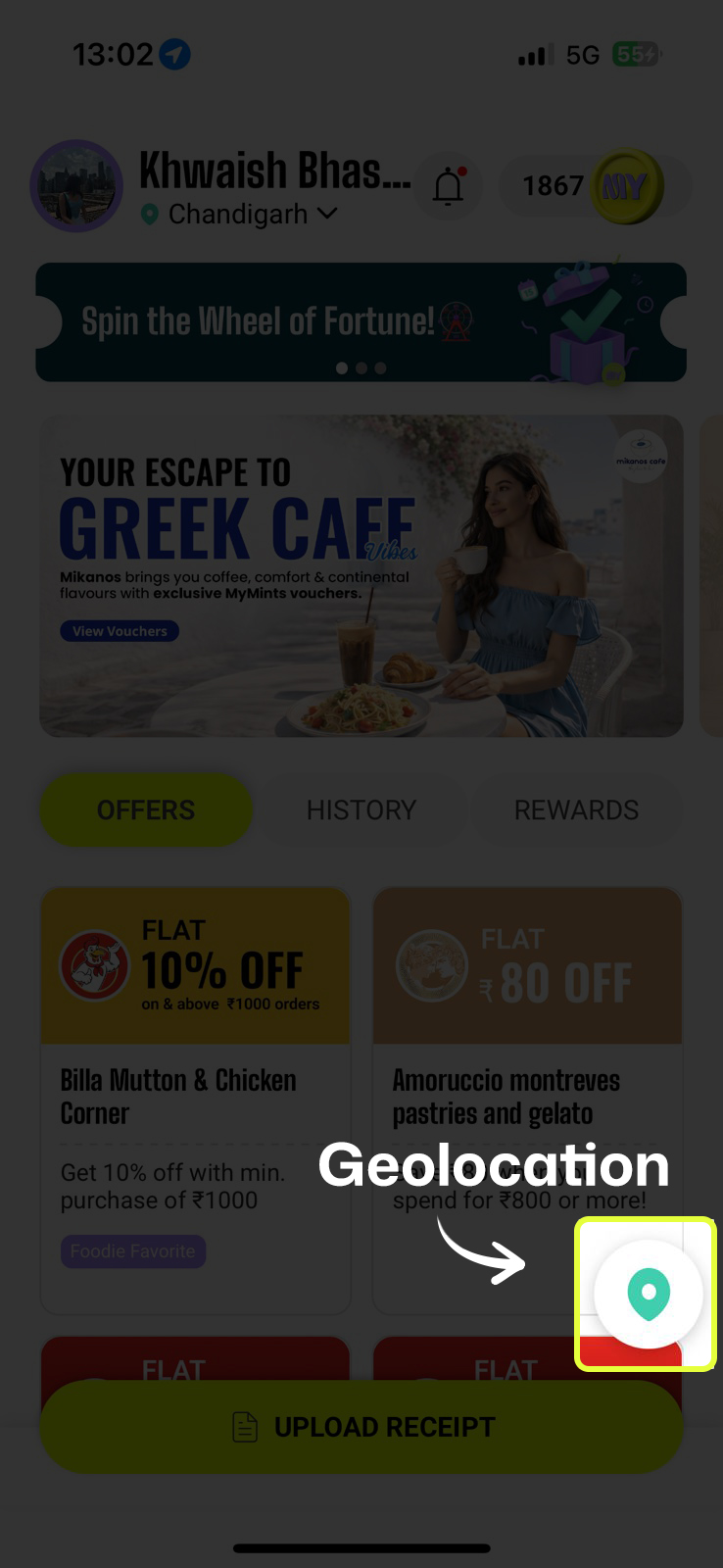
See the teal location pin button in the bottom-right corner of the Home Screen? Tap it to open a full interactive map of every MyMints partner near you.
- 🗺️ All partner stores appear as MY coin markers on the map
- 👆 Tap any marker to see the store name — tap again to open their profile page
- 🔍 Use the Search location bar at the top to jump to any area
- 🎯 Tap the target icon (bottom right) to re-centre the map on your current location
- ➕ Pinch or use +/− buttons to zoom in and out
App Introduction Video
Curious about how MyMints works? Tap the coin icon next to your Mints balance in the top-right corner of the Home Screen. A short intro video pops up — MyMints: India's Loyalty App — giving you a quick visual walkthrough of everything the app can do.
- Perfect for new users who want to see the app in action before diving in
- Share with a friend you've just referred
- Tap Watch on YouTube to open the full video, or hit ✕ to close
Upload Receipt — Always One Tap Away
The bright yellow-green UPLOAD RECEIPT button is pinned to the bottom of the Home Screen. It's the most important button in the app — tap it right after any purchase at a partner store to start earning Mints.