Features & Help
A complete reference for every feature MyMints offers — from earning Mints to winning rewards, discovering stores to challenging yourself.
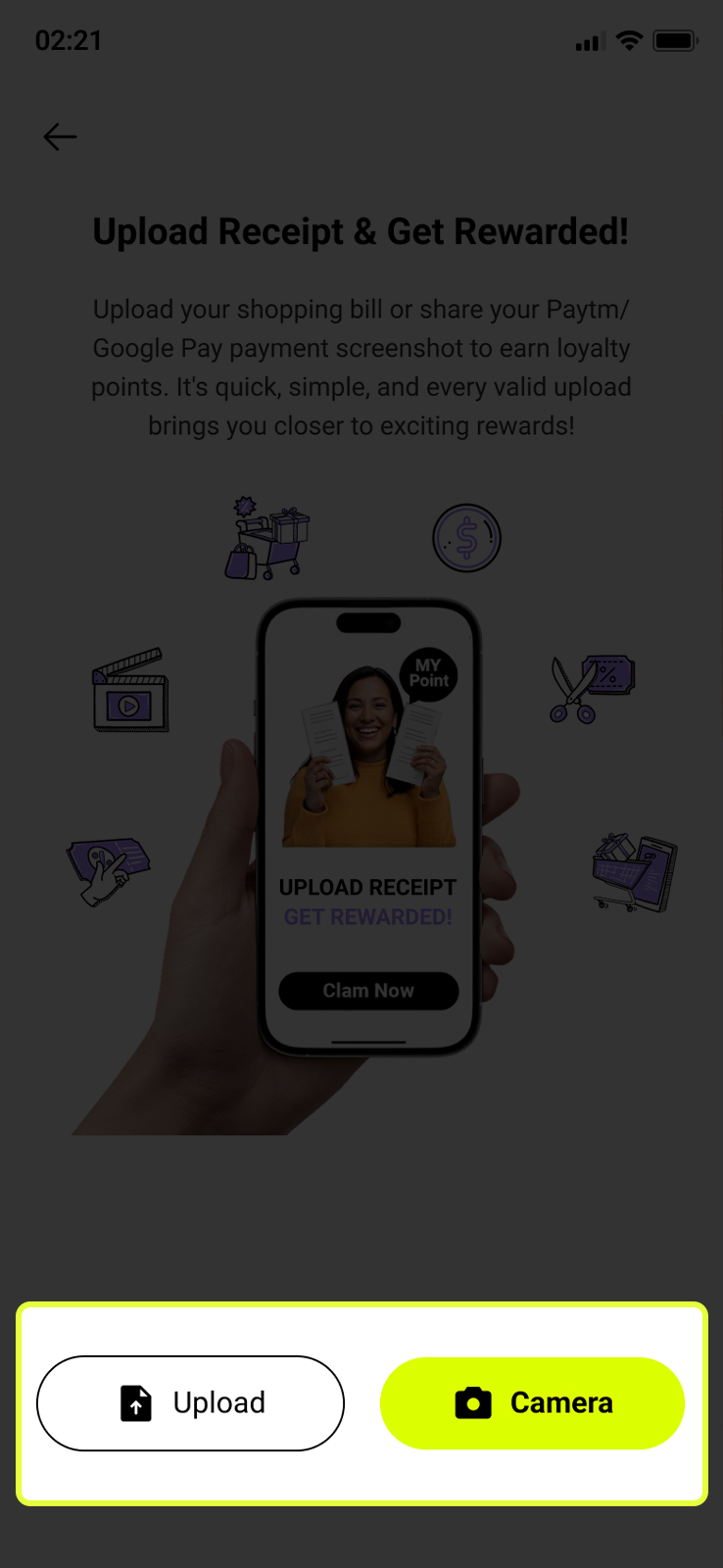
🧾 Upload Receipt — Your Core Earning Action
The foundation of MyMints. Every time you shop at a partner store, upload your bill to earn Mints. Tap the sticky yellow-green UPLOAD RECEIPT button pinned at the bottom of Home Screen.
- 📷 Camera — open the in-app scanner, position your bill inside the yellow-green frame corners, tap the shutter
- 📁 Upload from Gallery — pick a saved image (Paytm/Google Pay payment screenshots count too)
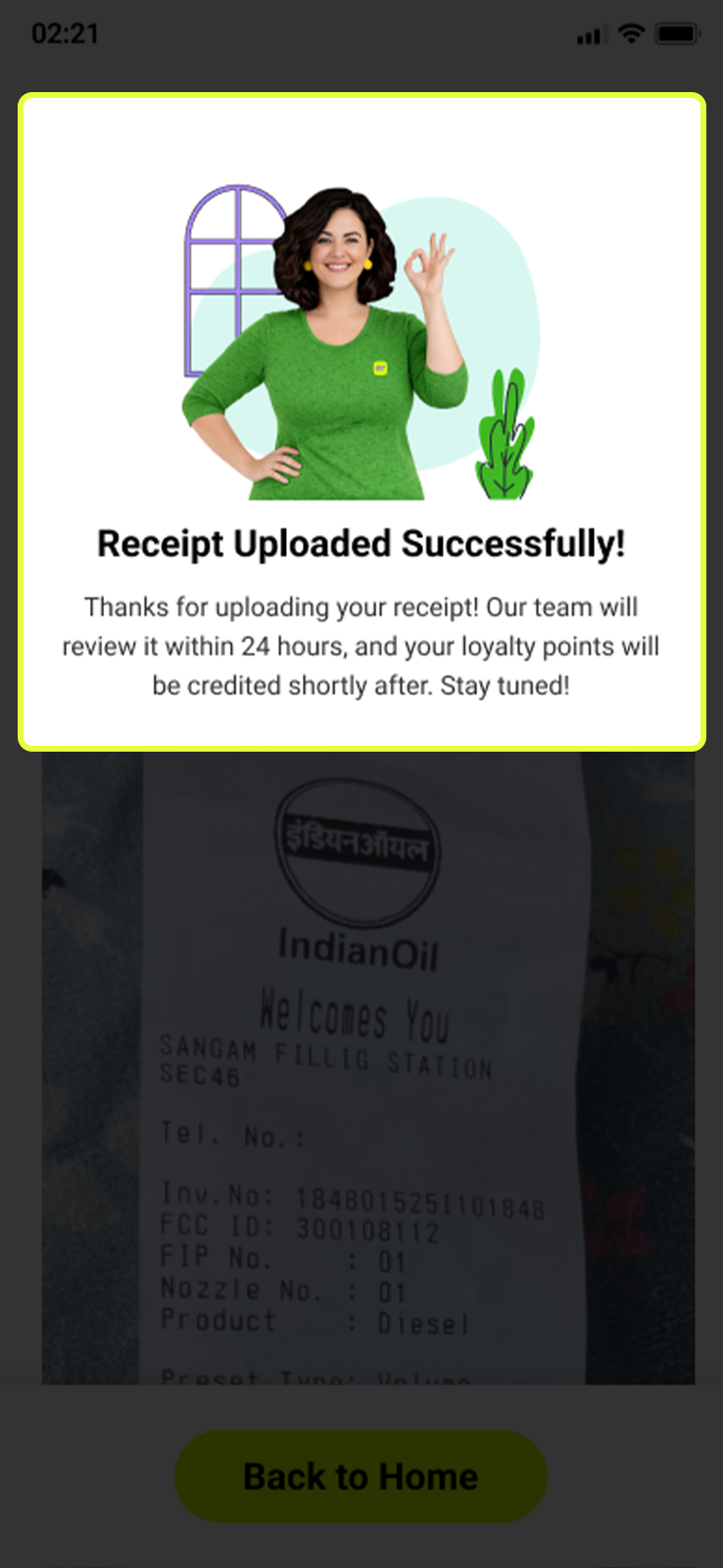
- ⏱️ Receipts are reviewed within 24 hours — Mints credited automatically on approval
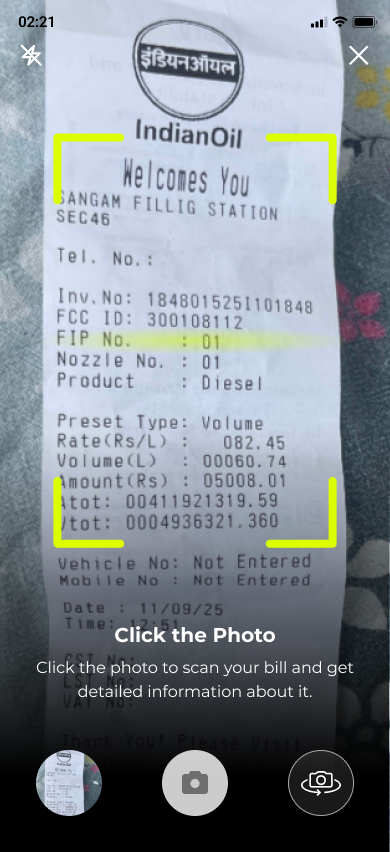
Scan Your Bill
Tap Camera to open the in-app scanner. Position your bill flat — fit all four edges inside the bright yellow-green corner bracket frame and tap the shutter button at the bottom centre.
- 🔦 Use the flash icon (top left) if lighting is poor
- 🔄 Use the rotate icon (right of shutter) to flip the camera
- 🎯 Make sure the full bill is inside the frame — nothing cropped
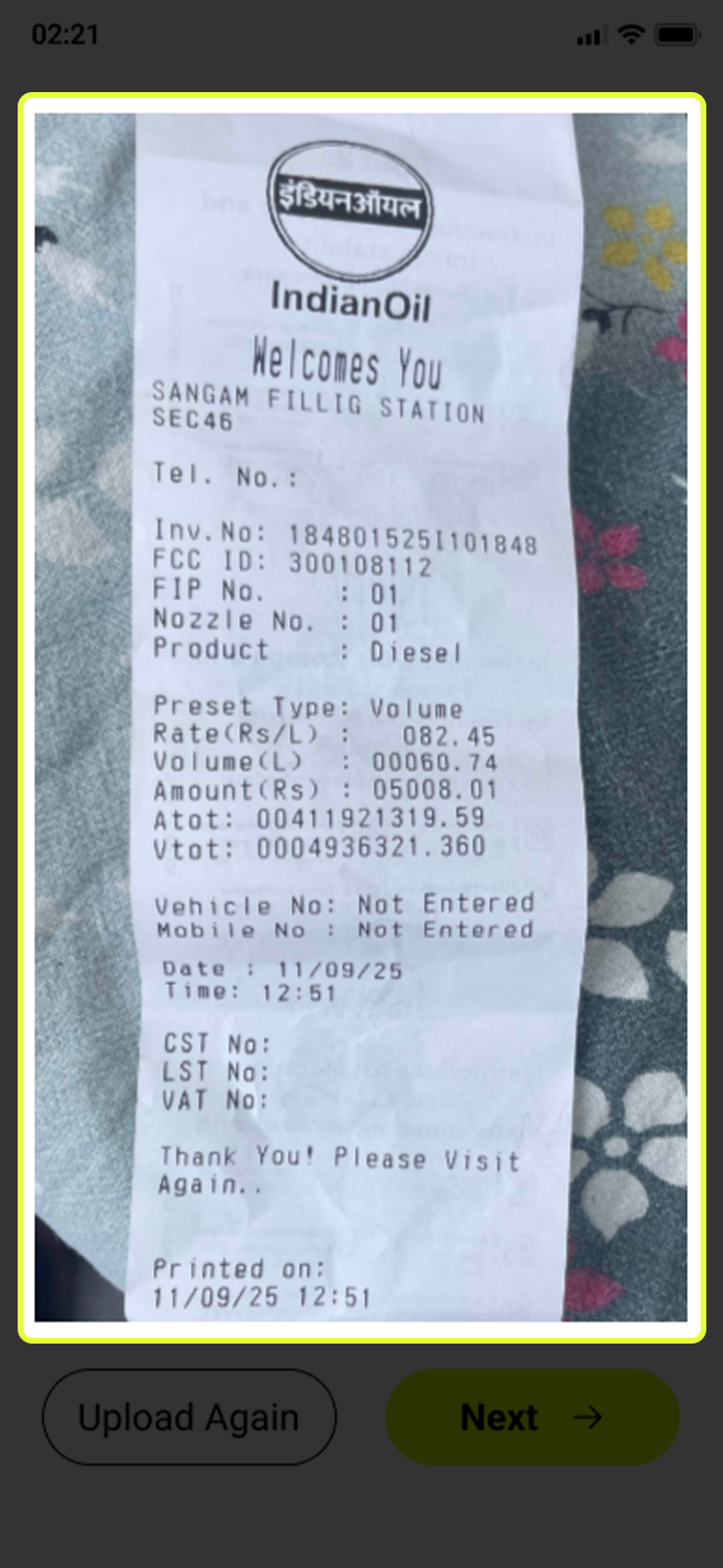
Receipt Status After Submission
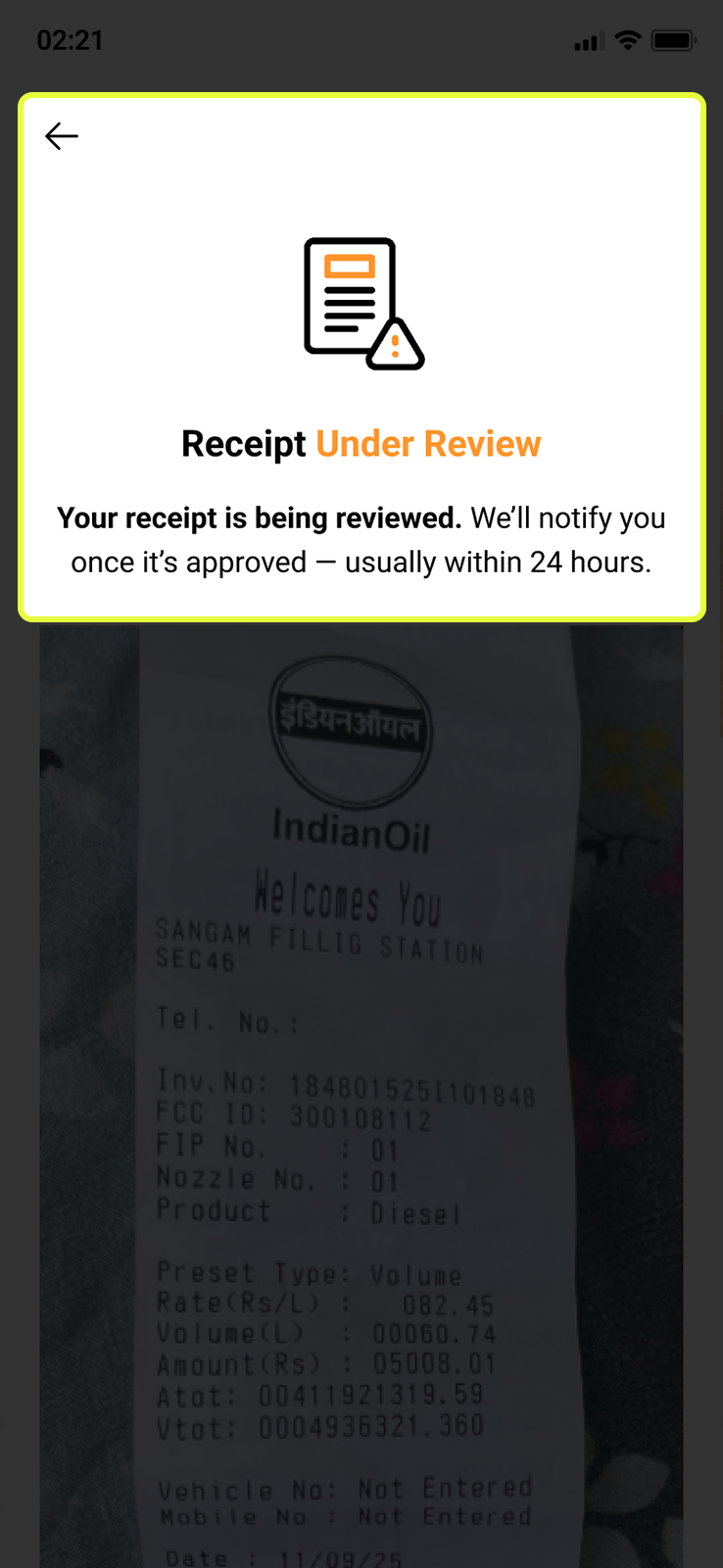
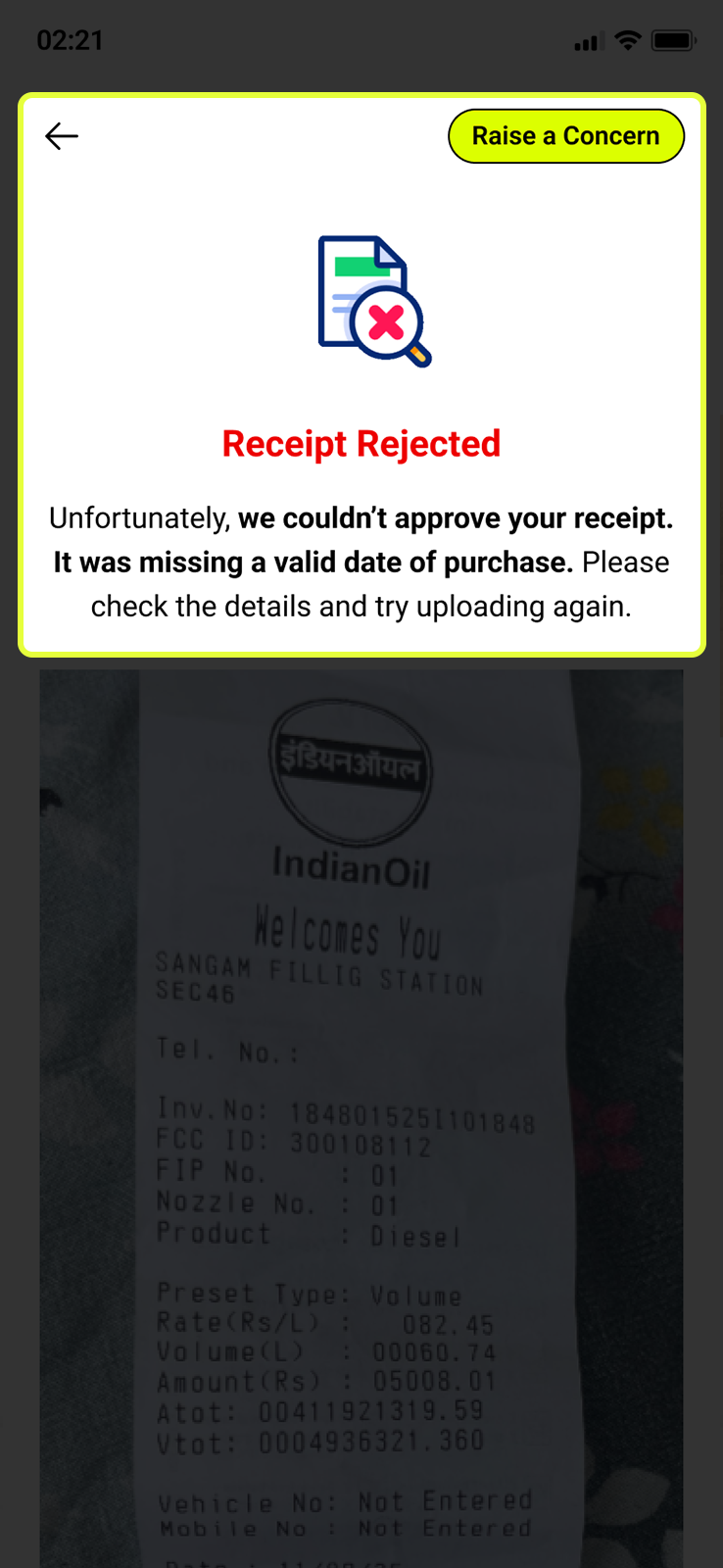
Once submitted, your receipt enters the review queue. Check its status any time from the History tab. Here are the three possible outcomes:
- ✅ Approved — receipt verified, Mints added to your wallet automatically
- ⏳ Under Review — in the queue, usually resolved within 24 hours
- ✗ Rejected — couldn’t be verified. The screen shows the exact reason. Fix the issue and resubmit, or tap Raise a Concern
If Rejected — Raise a Concern
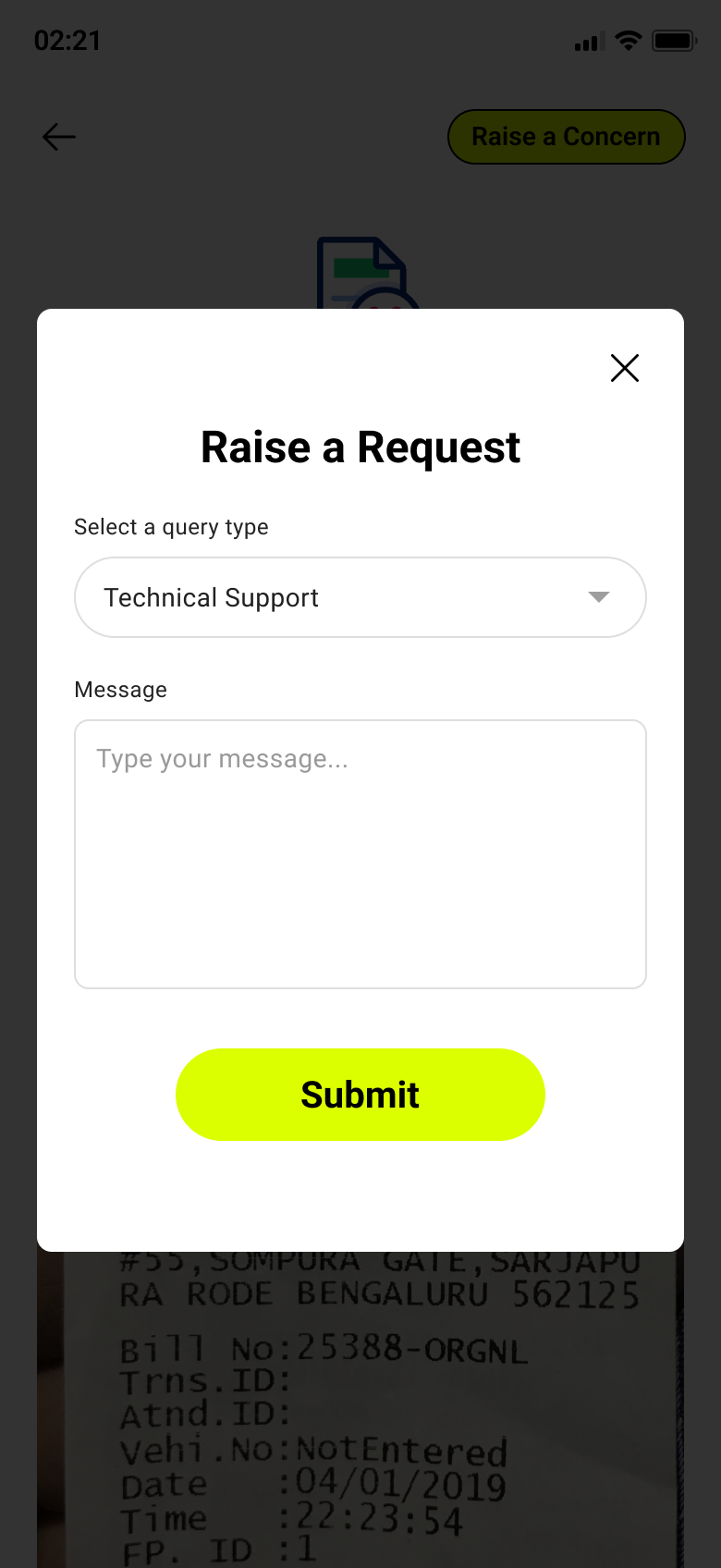
If you believe your receipt was wrongly rejected, tap Raise a Concern (top-right of the rejection screen). Select a query type, type your message, tap Submit. The team reviews it manually and a green banner confirms your request was received.
.png)
🔔 Notifications — Stay in the Loop
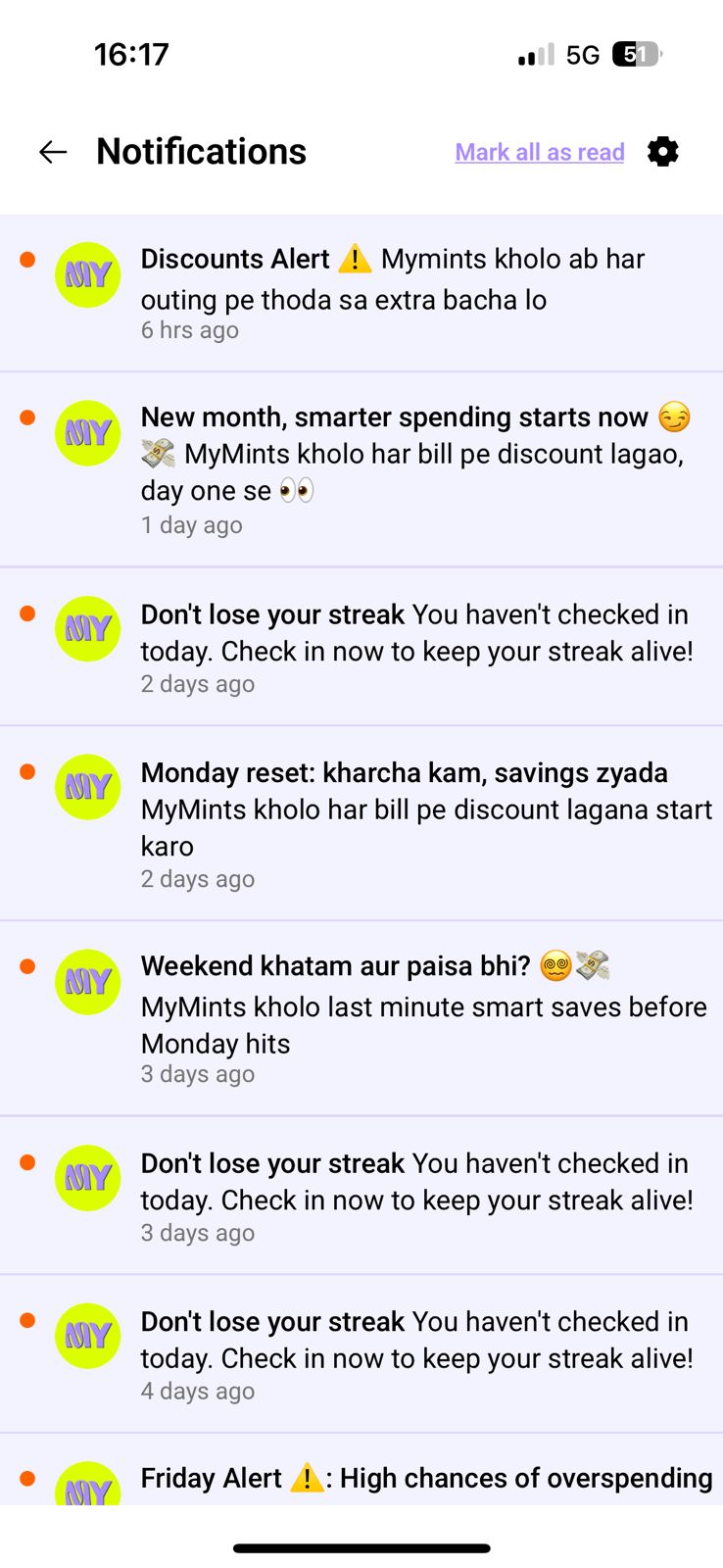
Tap the bell icon in the top bar to open your notifications screen. A red dot is the ONLY indicator colour used — it always means something is unread. Don’t ignore it.
- Your notification feed shows real messages from MyMints — streak reminders, discount alerts, new partner announcements, and more
- Every notification is tappable and takes you directly to the relevant screen
- Mark all as read button (top right) — clears the red dot from the bell
- ⚙️ Settings icon (top right) — opens Notification Settings to control what you receive
Control What You Hear From Us
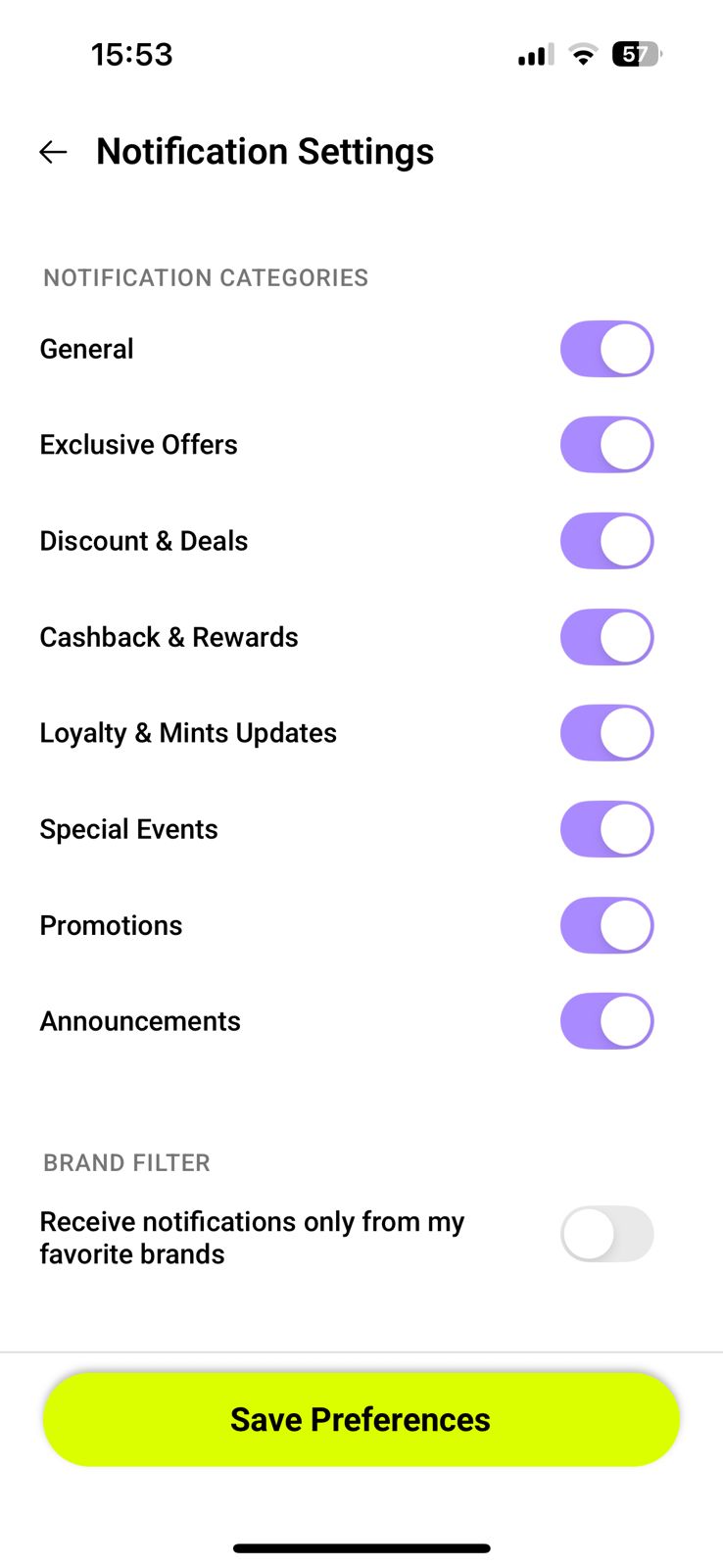
Tap the ⚙️ icon on the notifications screen to open Notification Settings. Toggle each category on or off using the purple toggle switches. All categories are on by default.
- 📢 General — app-wide updates and announcements
- 🎟️ Exclusive Offers — partner deals available only on MyMints
- 💰 Discount & Deals — new vouchers and limited-time discounts
- 🪙 Cashback & Rewards — Mints credited, vouchers earned
- 🔥 Loyalty & Mints Updates — streak reminders, point milestones
- 🎉 Special Events — campaigns, Stamp Cards, and seasonal promotions
- 📣 Promotions — partner store campaigns and featured deals
- 📋 Announcements — new features and app updates
🎁 Gift Center — Send Gifts to Friends
Found in Profile → Gift Center. Send a discount voucher or Mints directly from your balance to any friend. They receive it instantly and can use it at any MyMints partner store.
See Gift Center in Profile guide →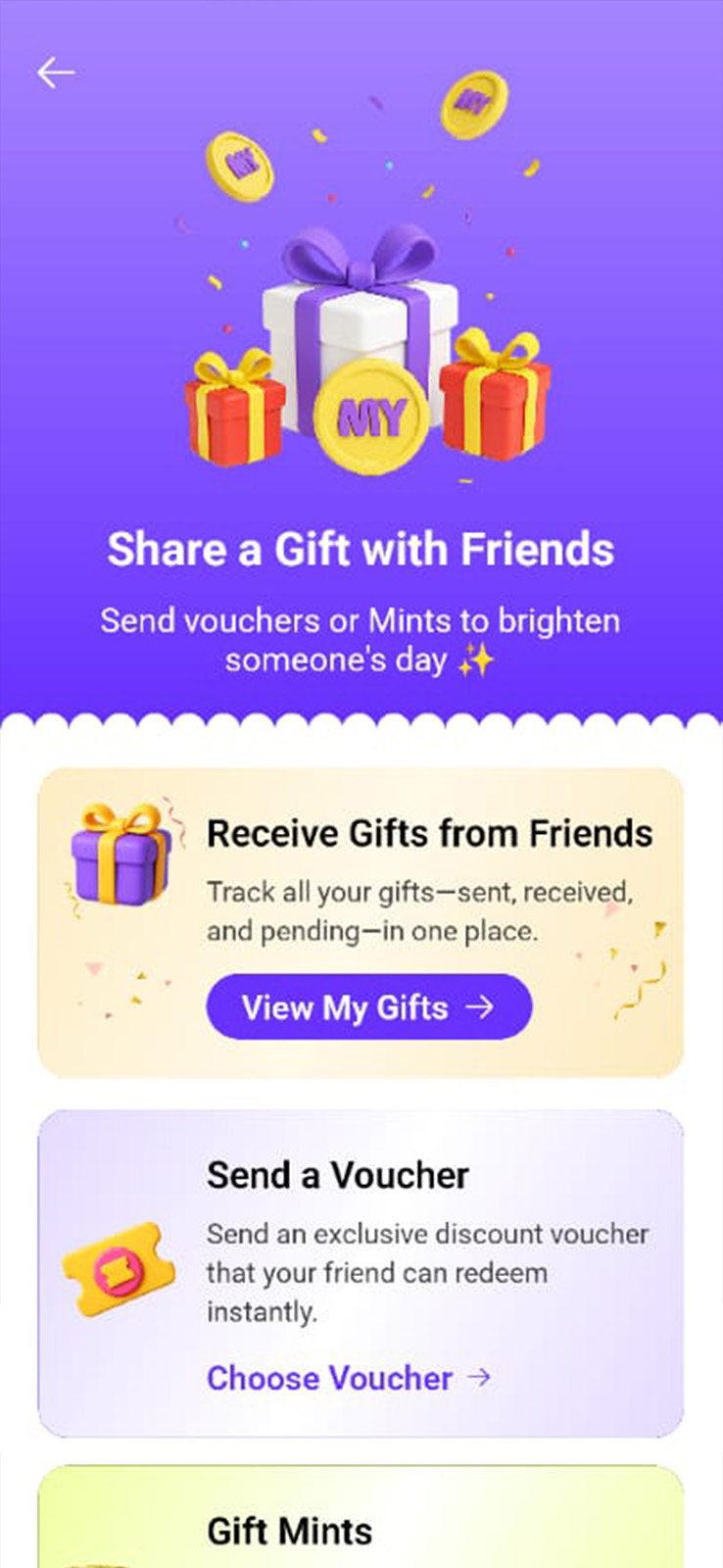
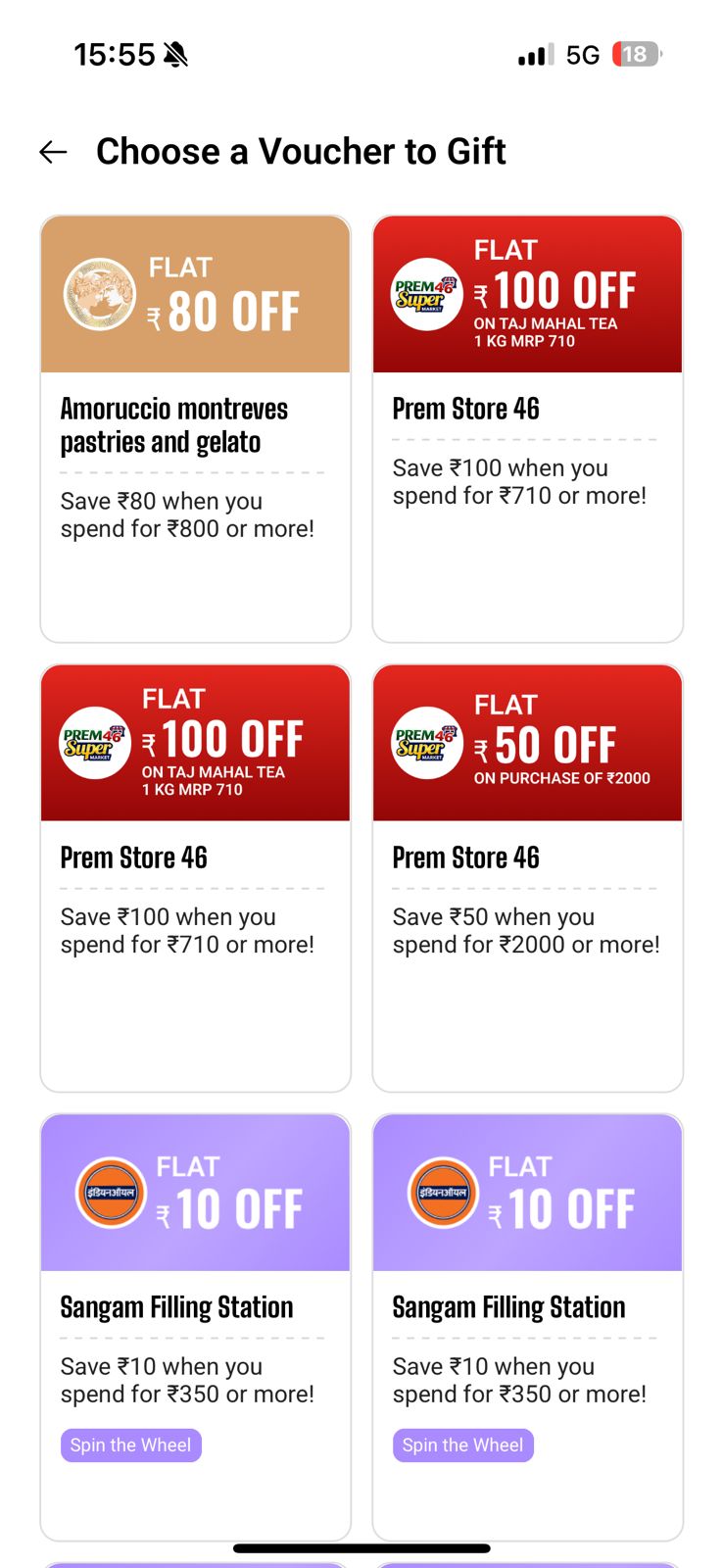
🎟️ How to Send a Voucher
Step-by-step guide to gifting a voucher to a friend.
- STEP 1 — Tap Send a Voucher → Choose Voucher. Browse your available vouchers and tap the one you want to gift
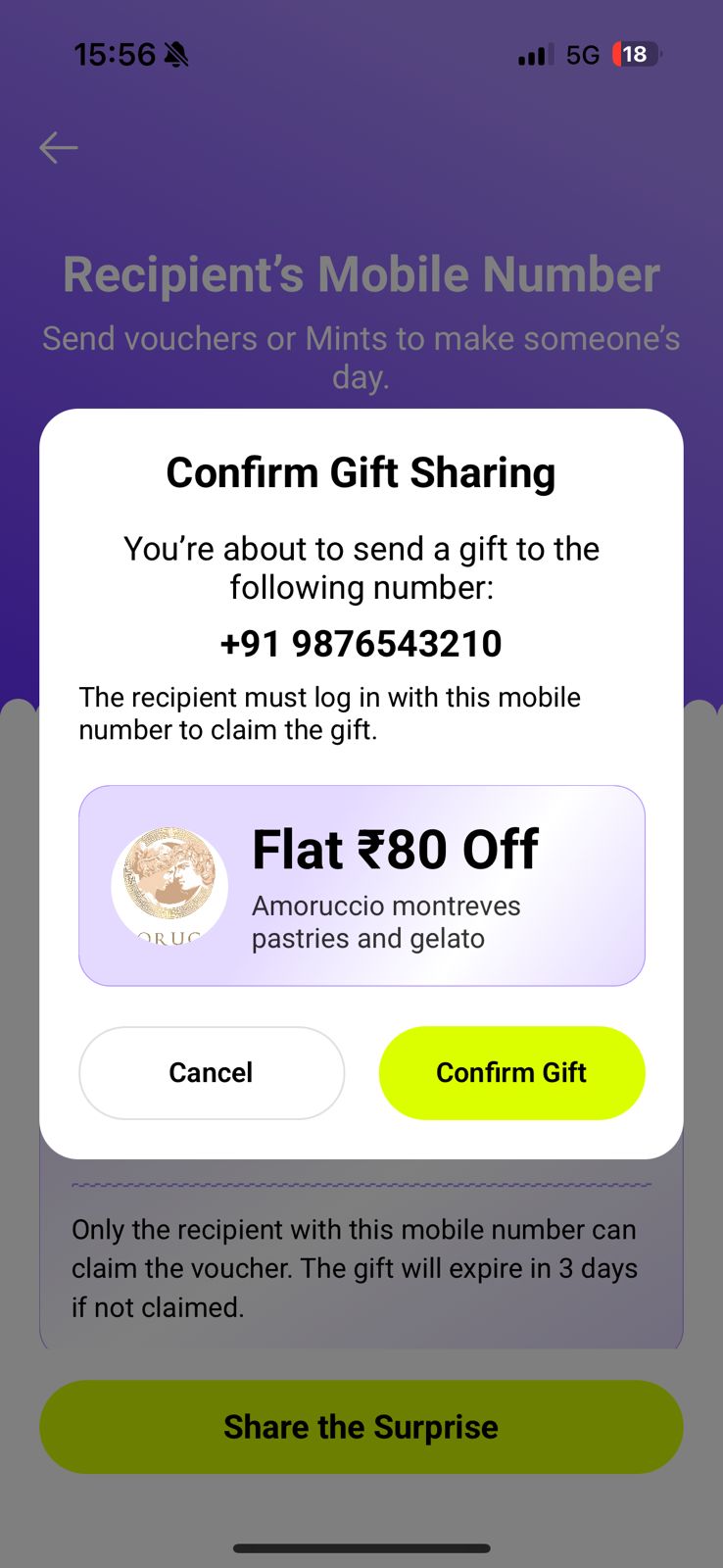
- STEP 2 — Enter your friend’s 10-digit mobile number. The Share the Surprise button turns yellow-green once valid
- STEP 3 — Tap Share the Surprise. Review the confirmation popup, then tap Confirm Gift to send
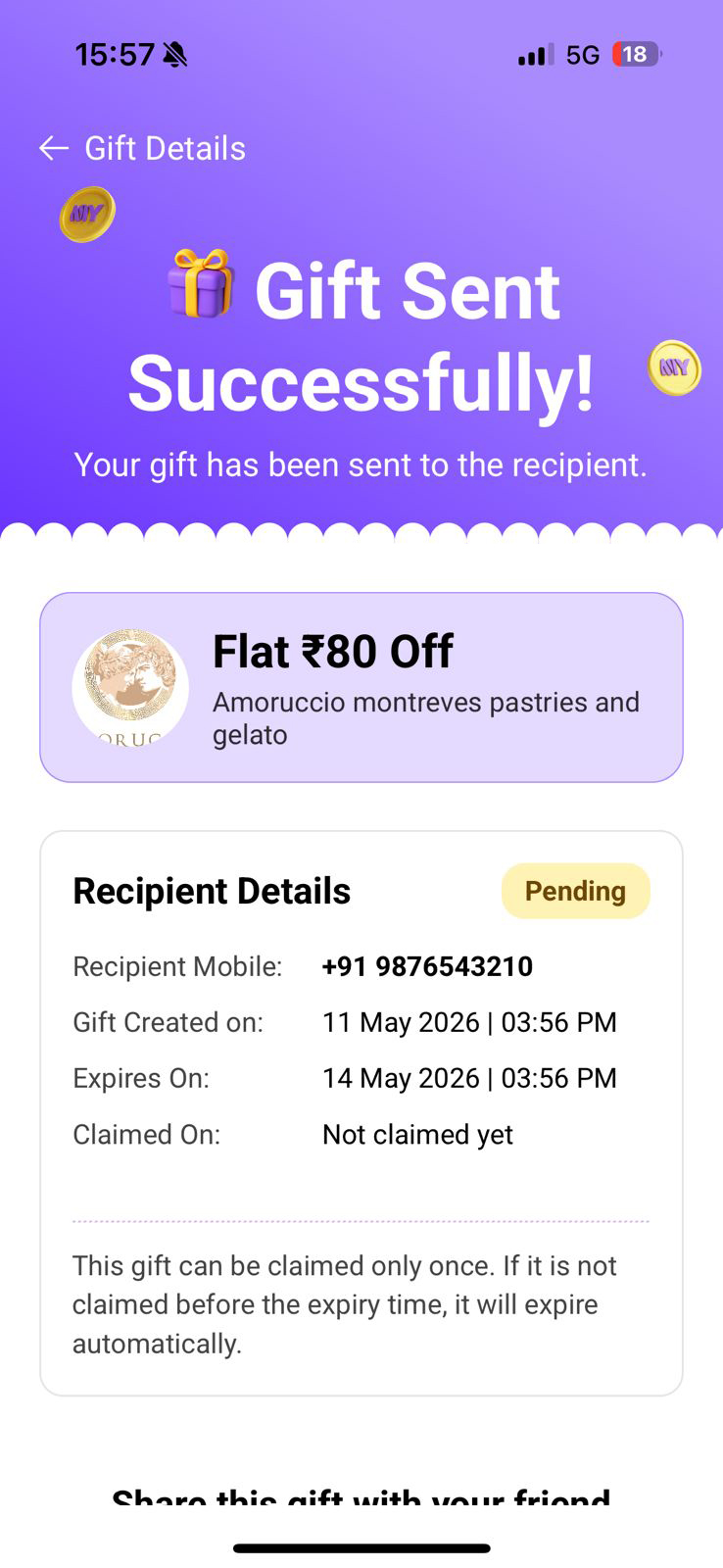
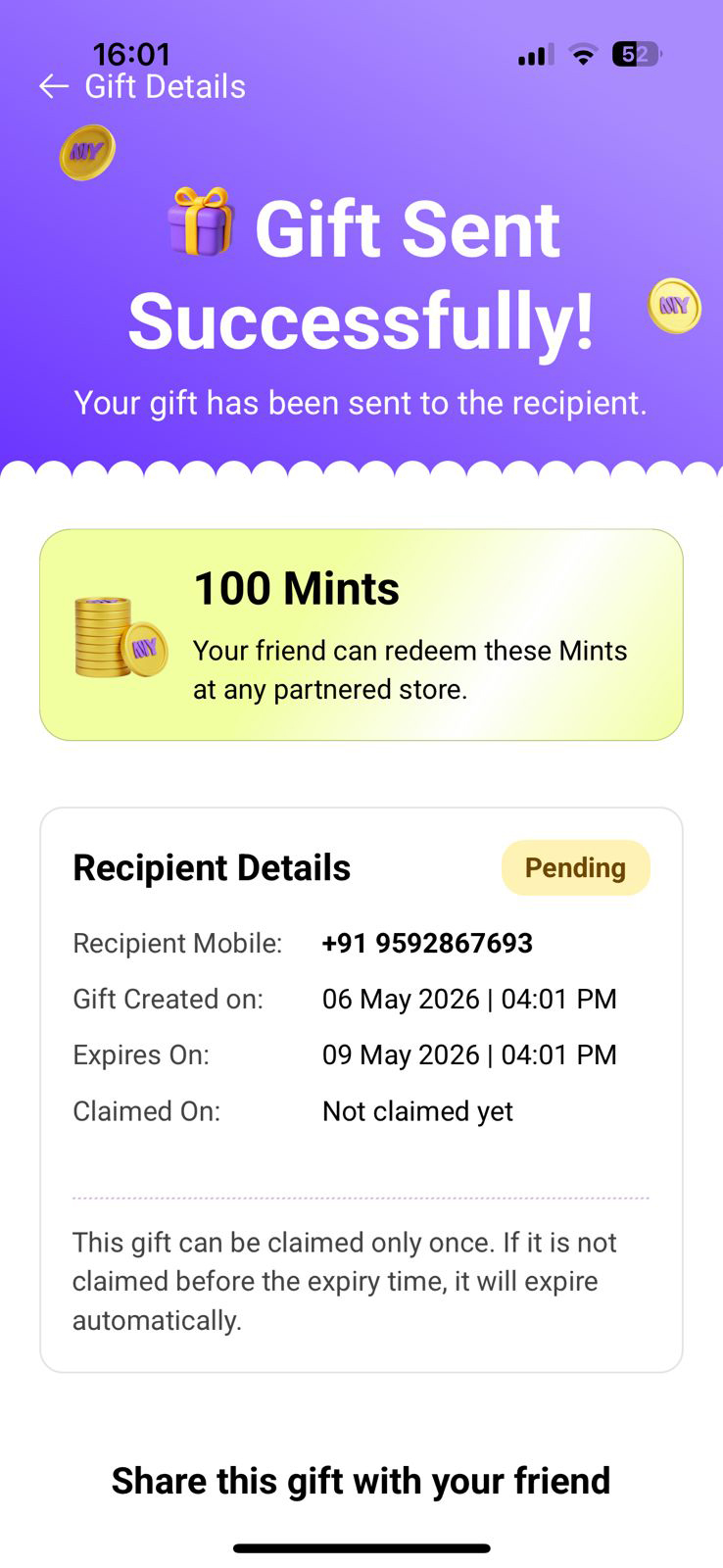
- STEP 4 — Gift Sent Successfully! Share the gift link via WhatsApp/SMS, or tap Revoke Gift while unclaimed
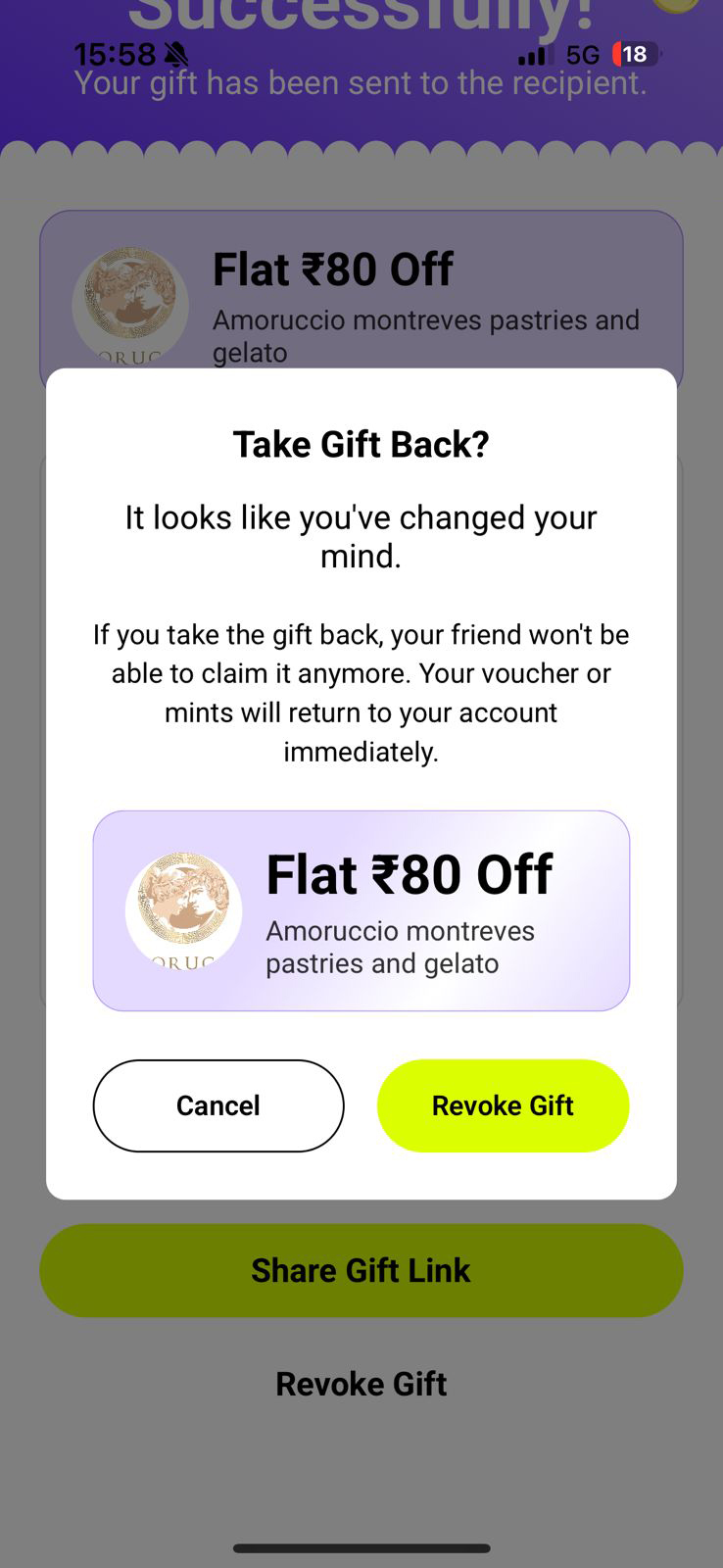
- STEP 5 — Revoke Gift (optional) — take it back before it’s claimed. Voucher returns instantly
.jpeg)
.jpeg)
🪙 How to Gift Mints
Step-by-step guide to sending Mints from your balance to a friend.
- STEP 1 — Tap Gift Mints → Send Mints. Enter the amount — Next button turns yellow-green once valid
- STEP 2 — Enter recipient’s 10-digit mobile number
- STEP 3 — Tap Share the Surprise → Confirm Gift to send
- STEP 4 — Gift Sent Successfully! Share link or Revoke while unclaimed
- STEP 5 — Revoke Gifted Mints (optional) — Mints return to your account instantly
.jpeg)
.jpeg)
.jpeg)
.jpeg)
📥 Receiving a Gift — View, Claim & History
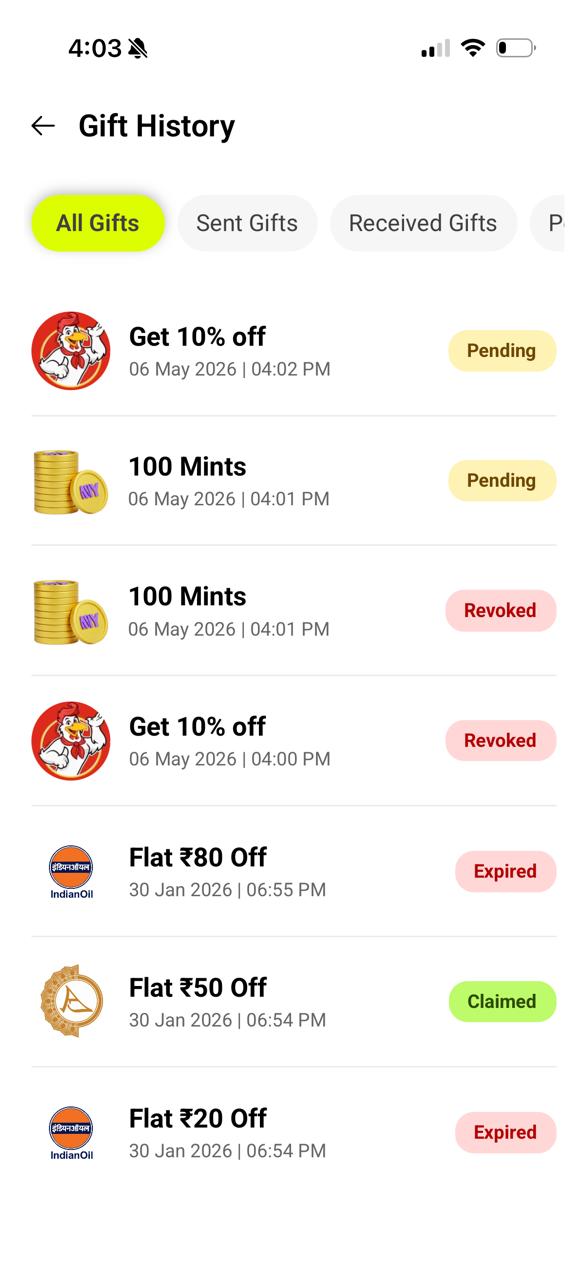
Tap Receive Gifts from Friends → View My Gifts on the Gift Center page to open Gift History. A complete log of every gift transaction — sent, received, or pending.
- 📋 All Gifts — every gift in one chronological list
- 📤 Sent Gifts — all gifts you have sent to others
- 📥 Received Gifts — all gifts you have received from friends
- ⏳ Pending Gifts — unclaimed gifts still waiting (expires in 3 days)
- Status badges: Claimed (green), Pending (amber), Revoked (pink), Expired (grey)
🔗 Refer & Earn — Invite Friends, Earn Unlimited Mints
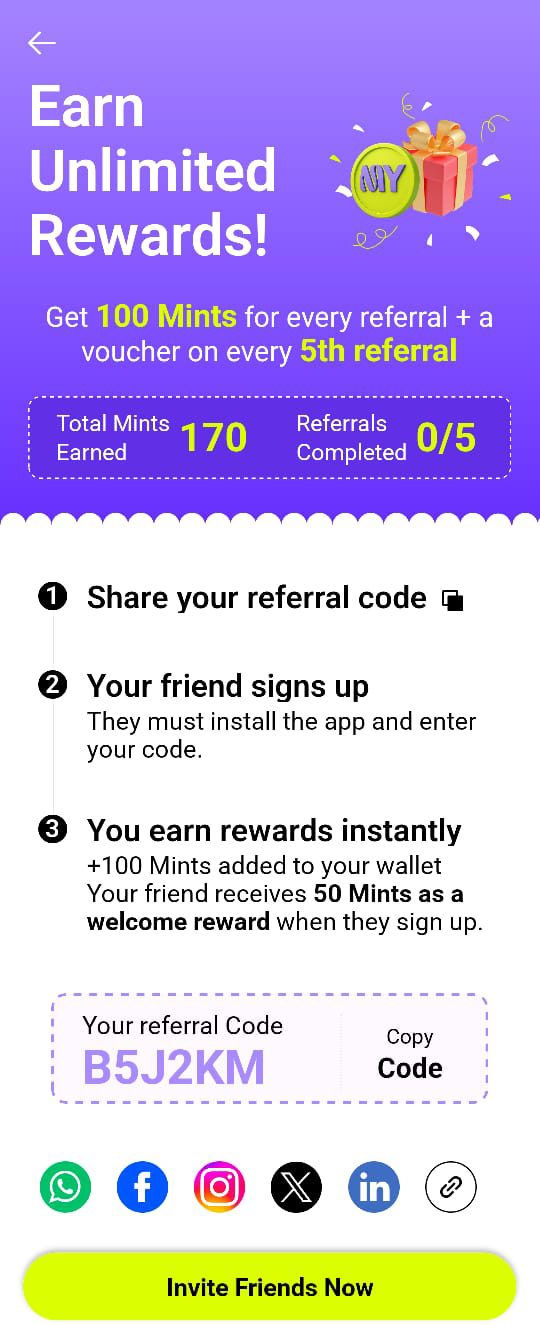
Accessible from the Home Screen banner or Profile → Refer & Earn. Share your personal code — every successful signup earns you bonus Mints with no upper limit.
- 1 → Share your code
- 2 → Friend signs up using your code
- 3 → Both of you earn bonus Mints
- 🎟️ Every 5th referral earns a bonus voucher on top of your Mints
- 📲 Share via WhatsApp, SMS, or any social app — one tap to invite
🎡 Spin the Wheel — Try Your Luck for Instant Rewards
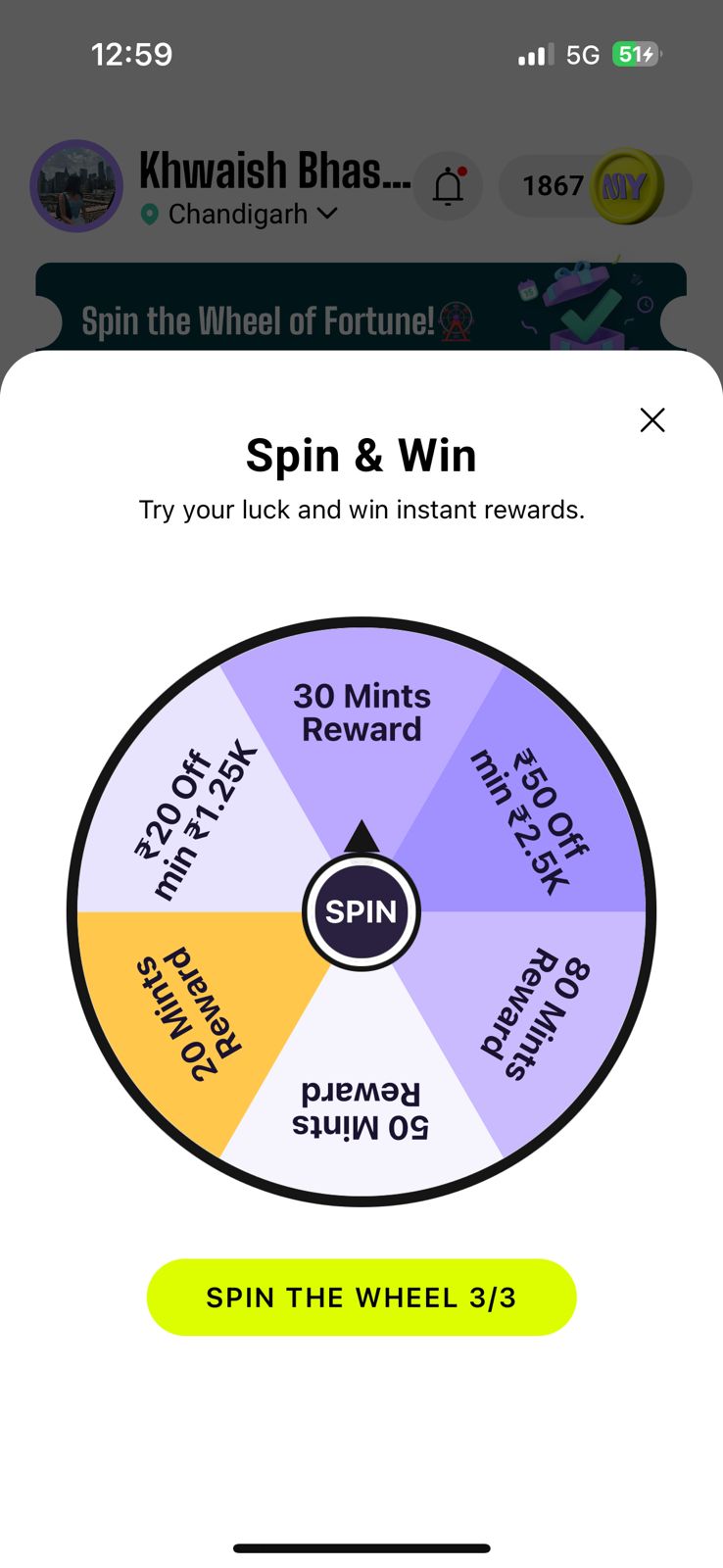
Accessible from the rotating Home Screen banner. Fortune wheel loaded with Mints rewards and voucher prizes. You get 3 free spins per day.
- 🪙 Mints Rewards
- 🎟️ Vouchers
- 🔄 3 free spins per day — shown as 'SPIN THE WHEEL 3/3'
- 👆 Tap the SPIN button in the centre of the wheel to go
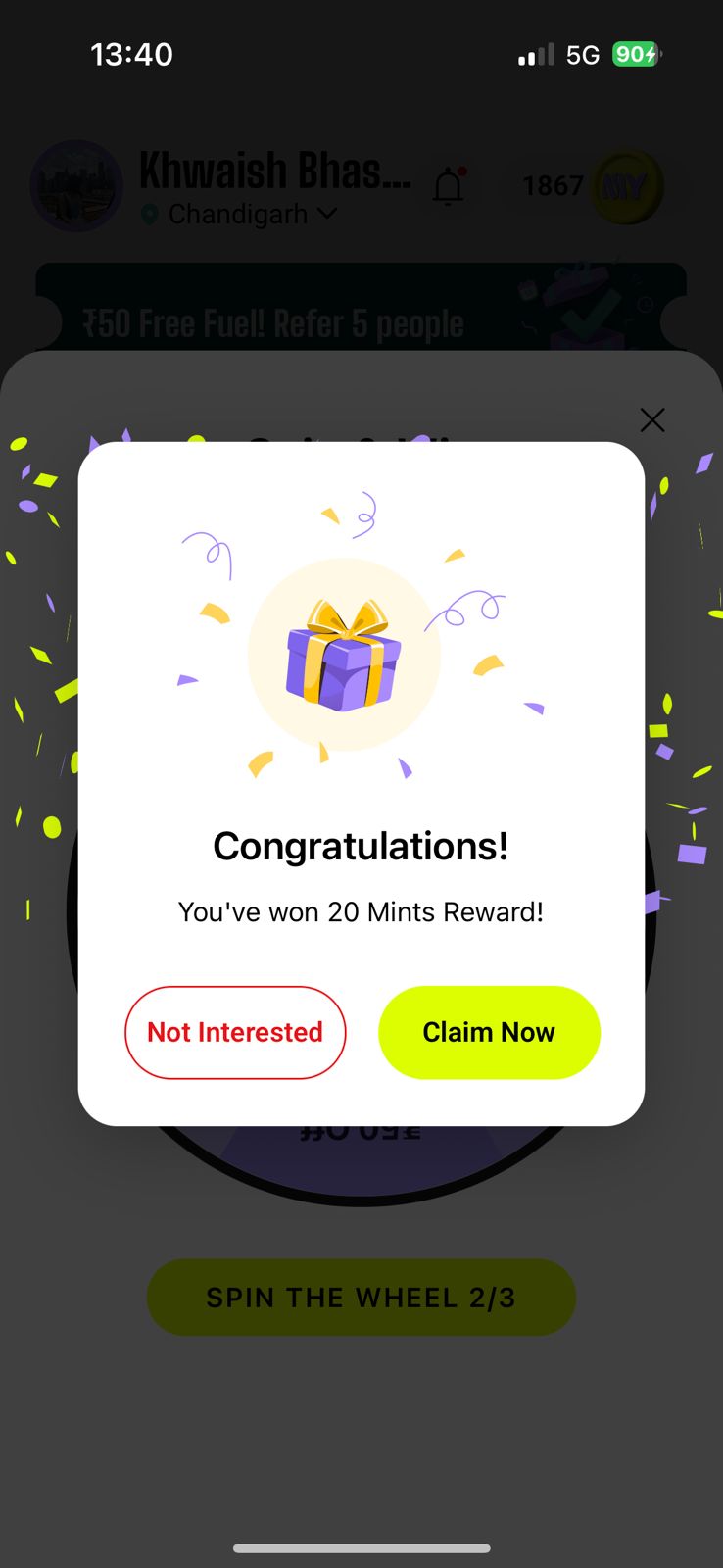
- 🎉 Confetti popup appears after spinning — tap Claim Now to collect your prize
- ✗ Not Interested — skips the reward, nothing is credited but the spin gets used
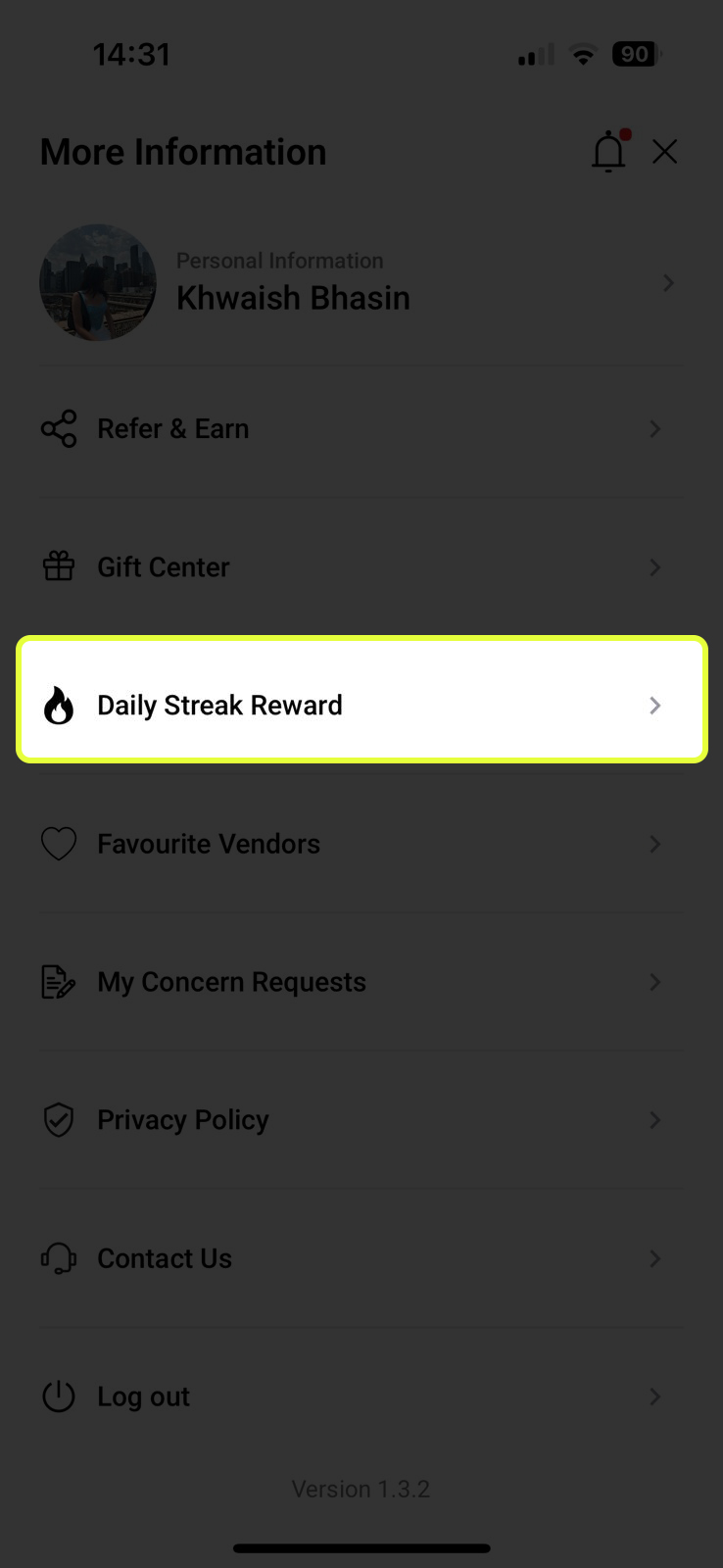
🔥 Daily Streak Reward — Open Daily, Earn Daily
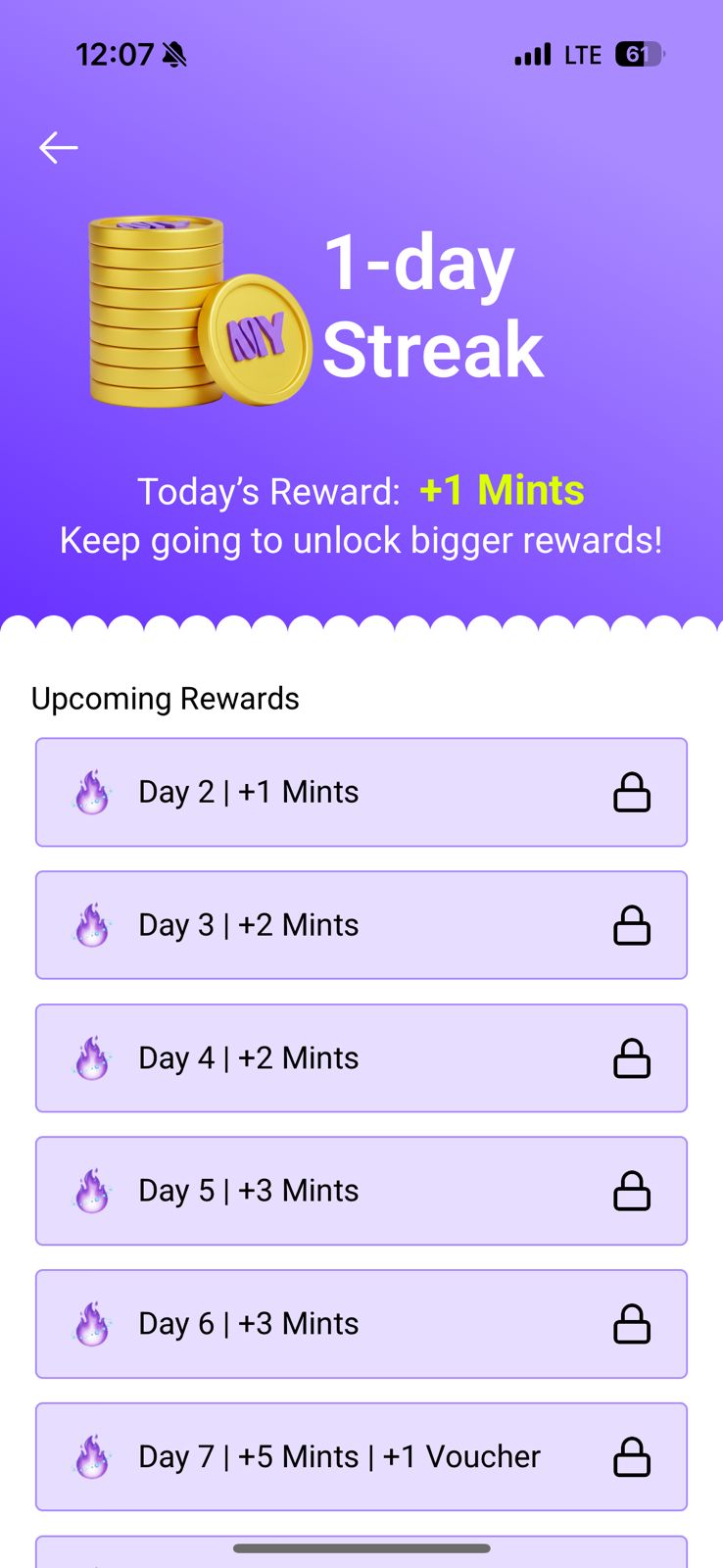
Found in Profile → Daily Streak Reward. Open the app every day to claim your daily Mints. The longer your streak, the bigger the rewards — miss even one day and your streak resets to Day 1.
- ✓ (yellow-green) — Day claimed. Mints credited to your wallet
- 🔒 (grey/locked) — Future day, not yet available
- 🎁 Milestone Days — Day 7 gives +5 Mints + 1 Bonus Voucher. Further milestones grow the reward
.jpeg)
🔍 Search & Filters — Find Vouchers Your Way
In the Offers tab on the Home Screen, a powerful search and filter system helps you find vouchers relevant to you instantly.
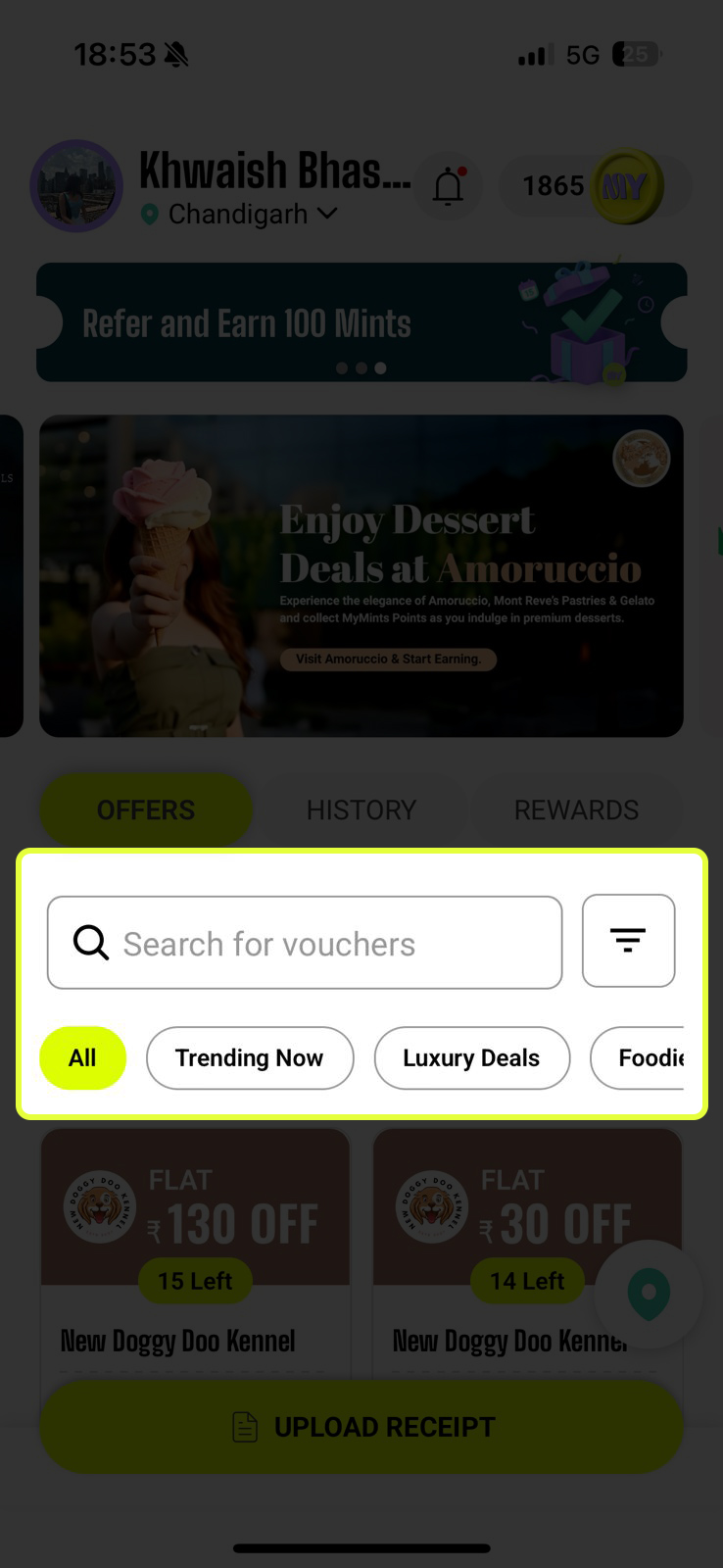
- 🔍 Search Bar — type a store name, brand, or keyword. Results update live as you type
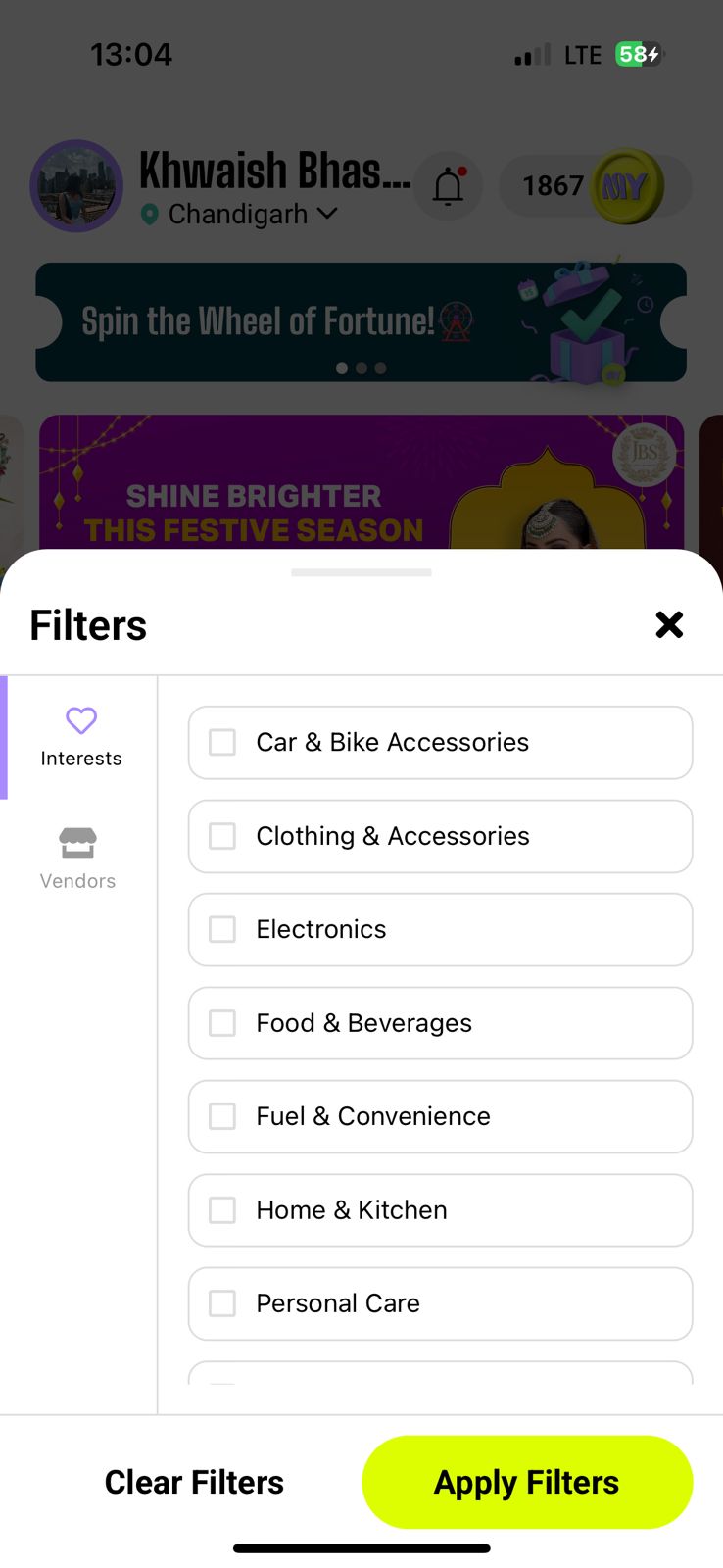
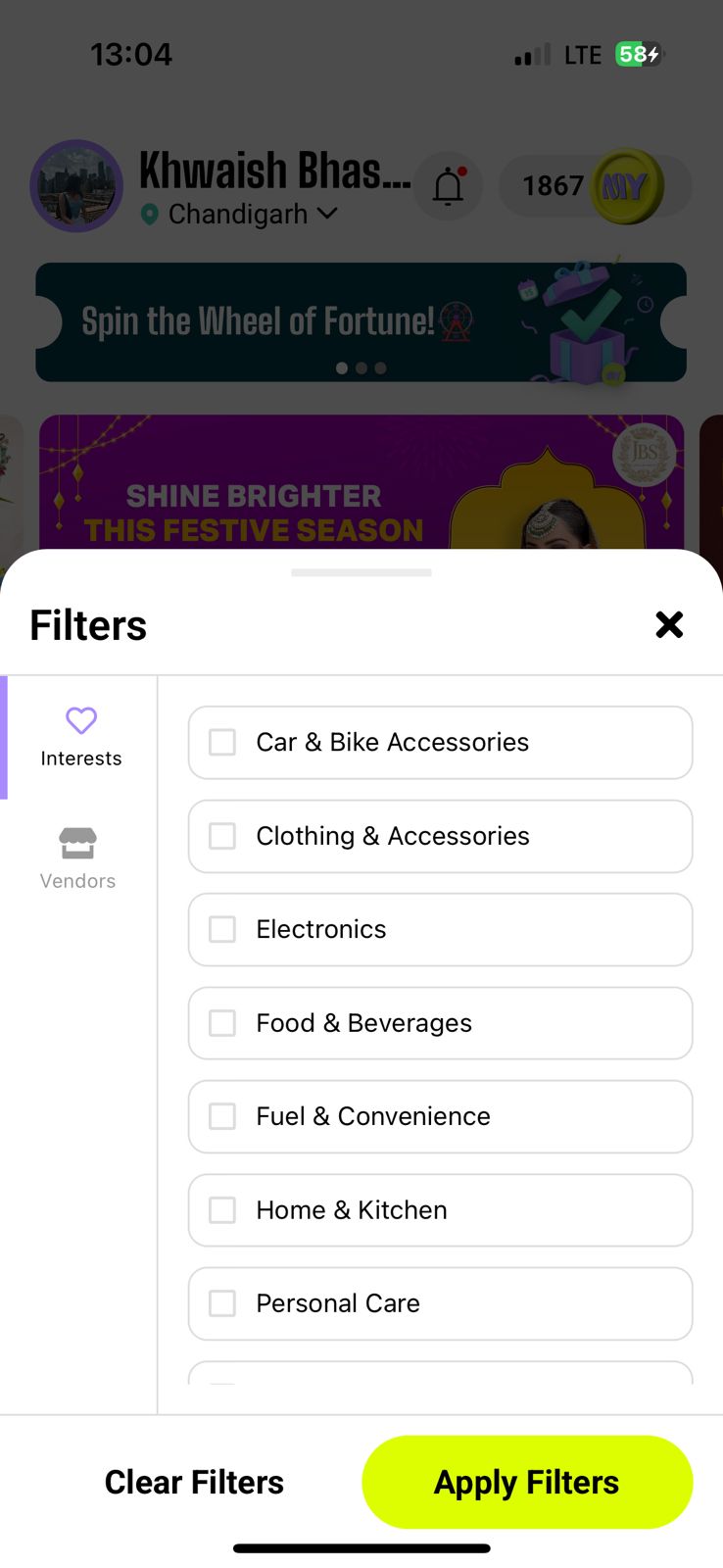
- ≡ Filter Button (right of search bar) — opens a bottom-sheet panel with two tabs: Interests (filter by category) and Vendors (filter by specific store). Tick choices, tap Apply Filters
🏷️ Quick Filter Tags — One-Tap Category Shortcuts
Just below the search bar in the Offers tab, a row of scrollable tag chips lets you filter the entire offer feed in a single tap.
- All — active by default, shows everything
- Trending Now — most popular deals users are grabbing right now
- Luxury Deals — premium and higher-value partner offers
- Foodie — food and beverage category only
- Personal Care — salon, beauty, wellness
- + more tags based on your location
📍 Geolocation Map — Discover Partners Near You
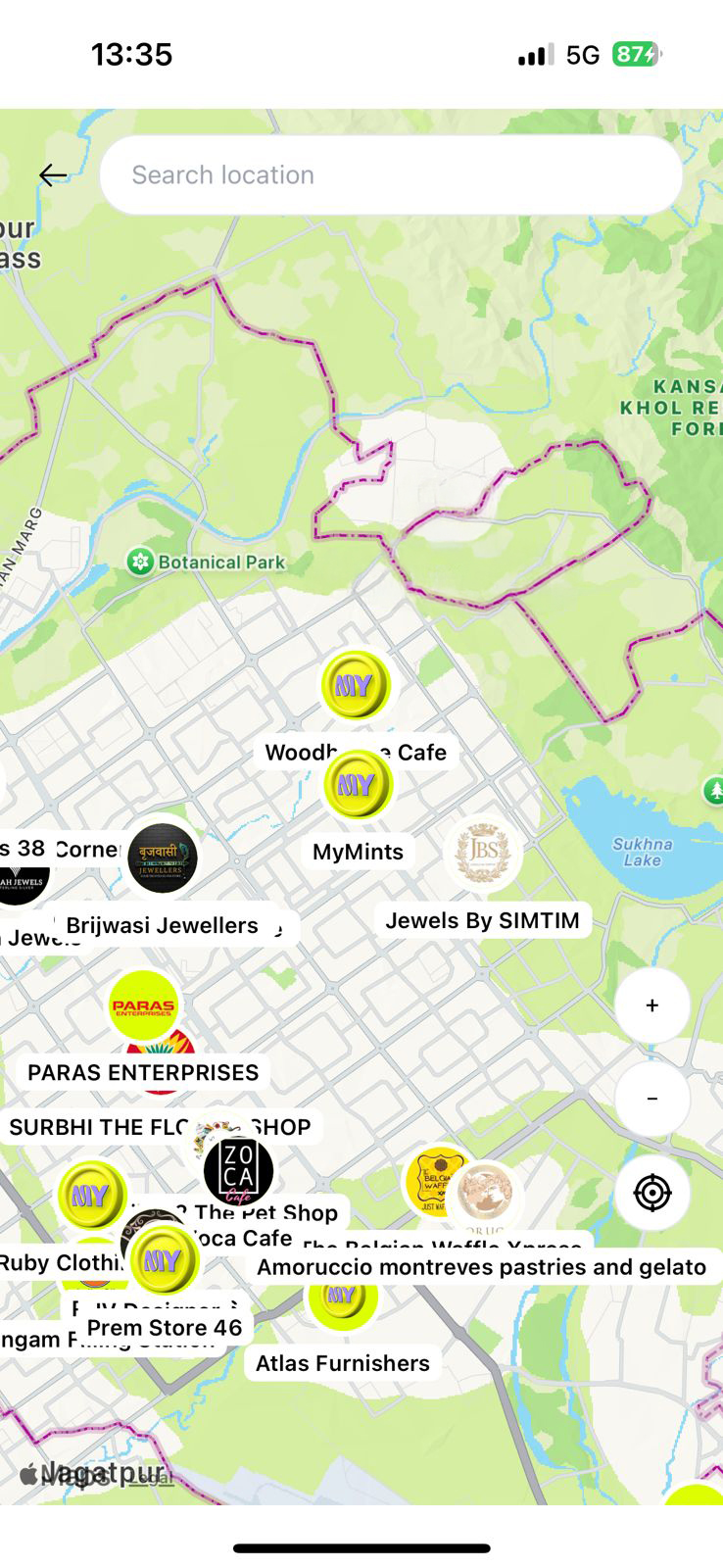
Tap the teal location pin button in the bottom-right corner of the Home Screen to open an interactive map showing every MyMints partner store near you.
- 🗺️ All partner stores shown as MY (yellow-green) coin markers on the map
- 👆 Tap any marker to see the store name — tap again to open their full vendor profile
- 🔍 Search location bar at the top — jump to any area or neighbourhood
- 🎯 Target icon (bottom right) — re-centres the map on your live location
- ➕ Pinch to zoom or use the +/− buttons
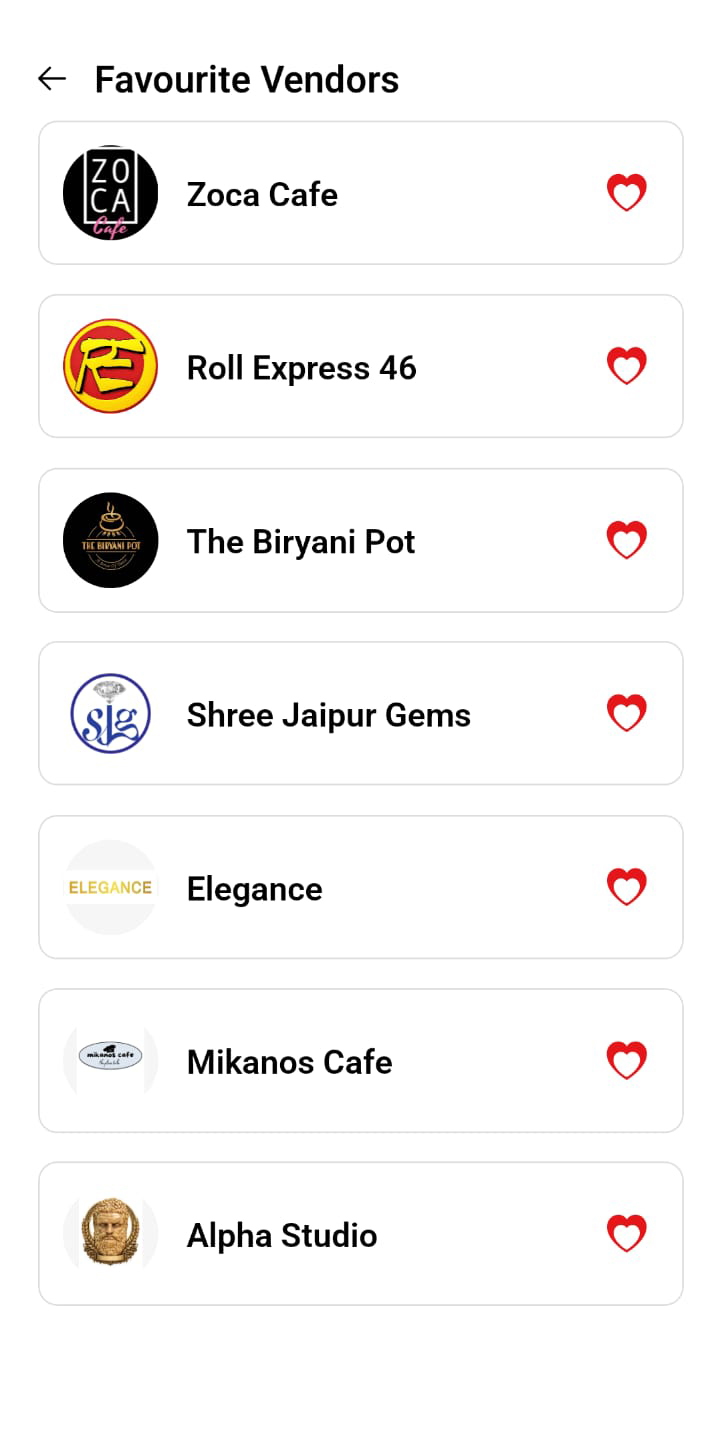
❤️ Favourite Vendors — Save Your Go-To Stores
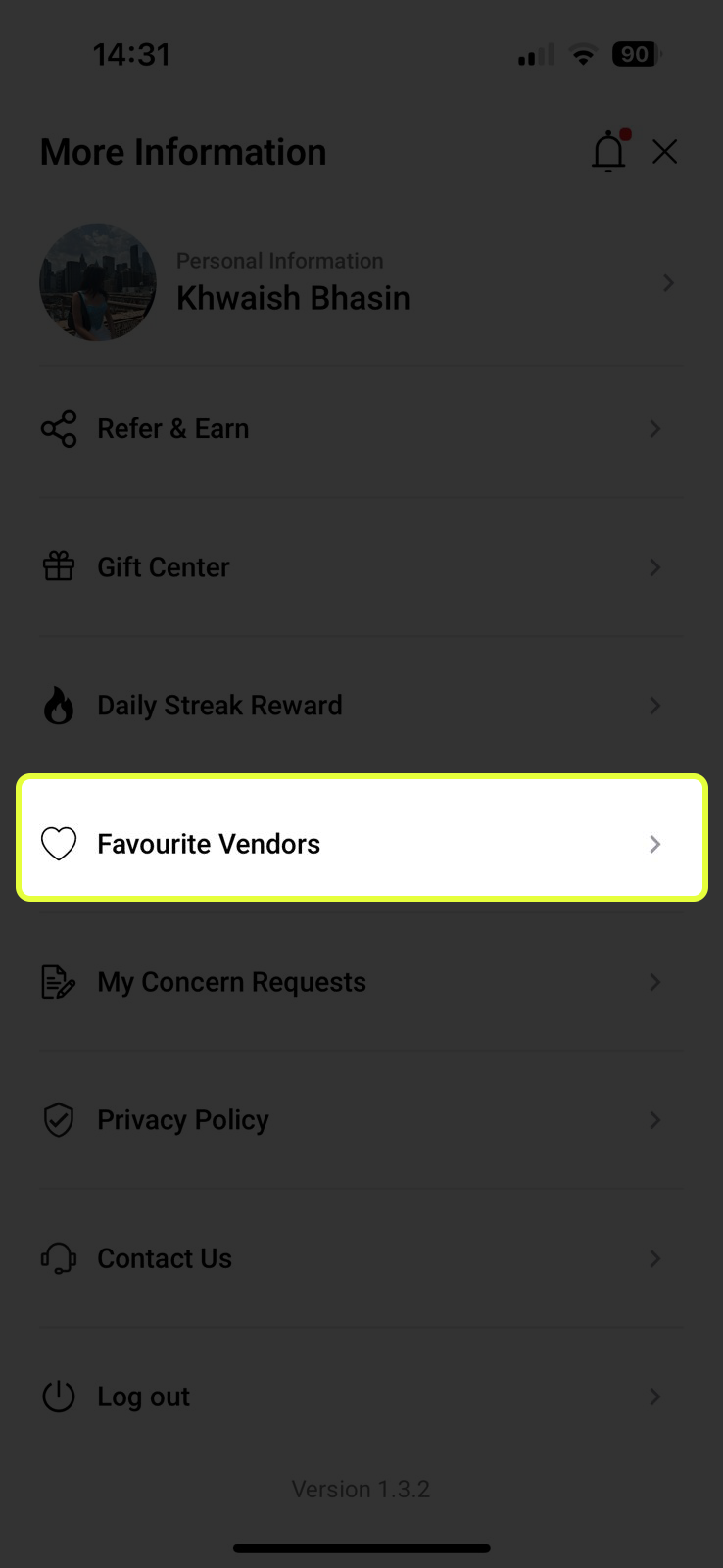
Found in Profile → Favourite Vendors. Any store you favourite appears here for instant access — no more scrolling the full feed to find the stores you visit regularly.
- ❤️ Add: tap the heart icon on the top-right of any vendor’s profile page
- ⚡ Access: Profile → Favourite Vendors — one tap to see their current offers
- 🗑️ Remove: tap the heart icon again on the same vendor to unfavourite
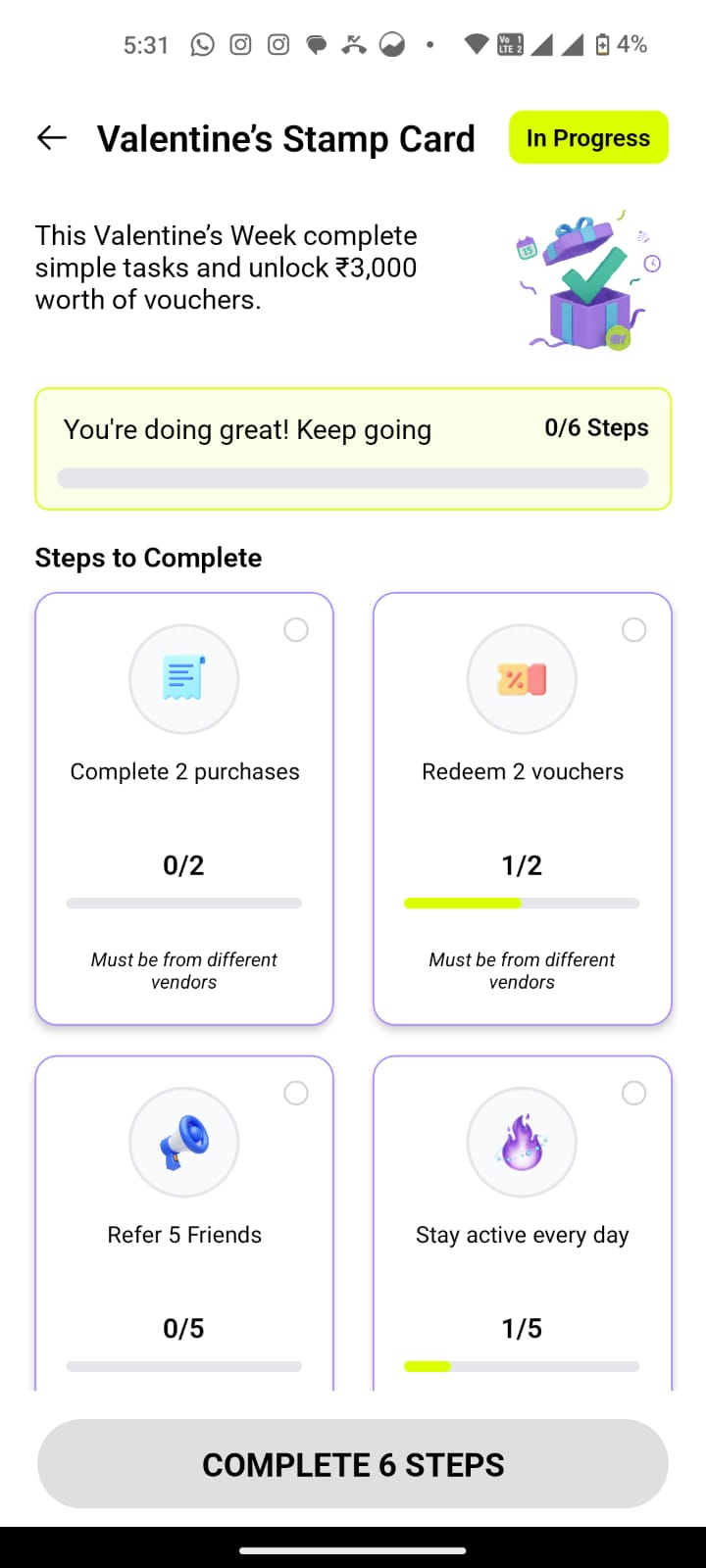
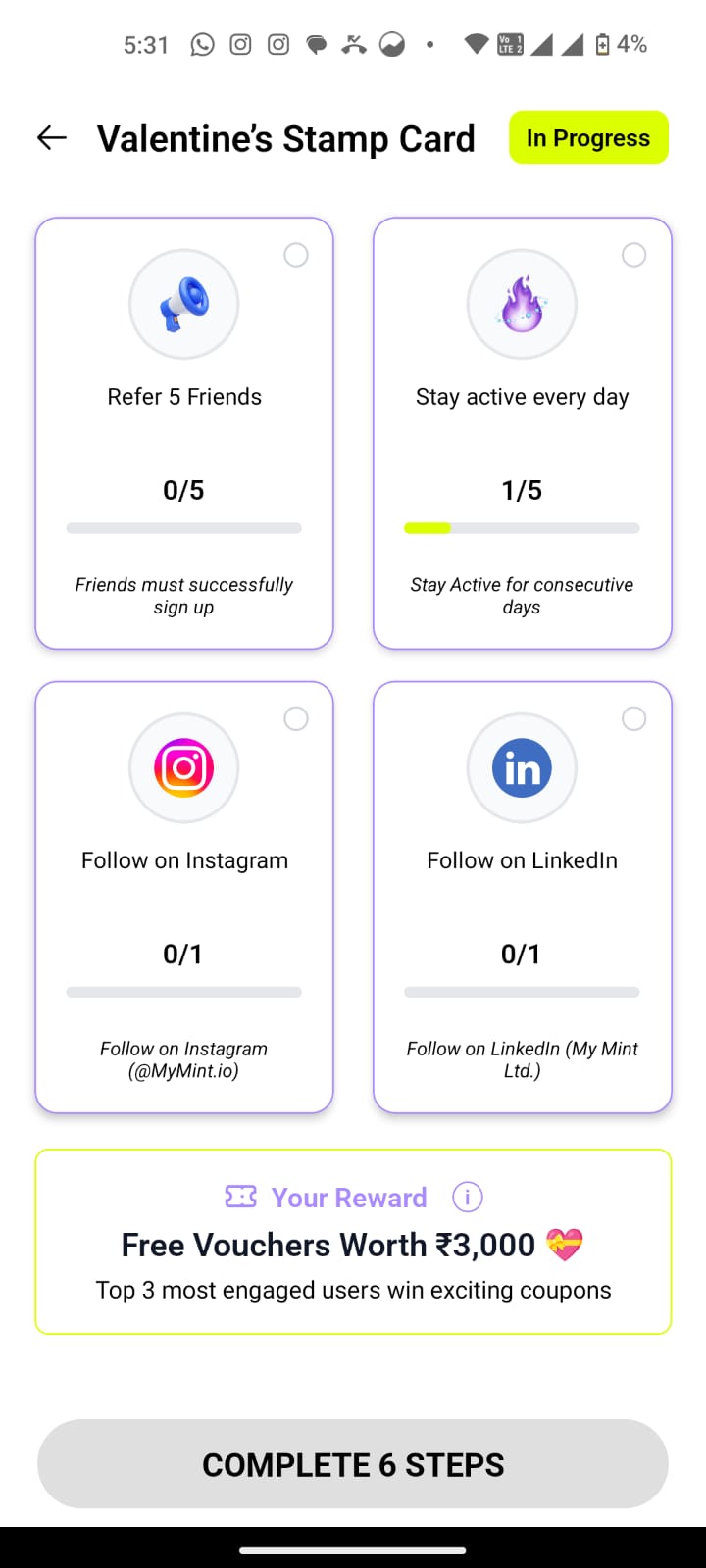
🃏 Stamp Card — Complete Challenges, Win Big Rewards
The Stamp Card is a LIMITED-TIME CAMPAIGN FEATURE that activates during special events and seasons — like Valentine’s Week, festive seasons, or brand partnerships. When a campaign is live, it appears prominently on your Home Screen with a clear deadline.
- A Stamp Card campaign goes live — visible on your Home Screen with the campaign name and deadline
- Complete a set of tasks — making purchases, redeeming vouchers, referring friends, staying active, following on social media
- Each completed task earns a stamp and advances your progress bar
- Complete all steps before the deadline to unlock the grand campaign reward